
Demolition Invoice Template
Free invoice templates for demolition contractors, site clearing companies, building removal teams, interior demolition services, debris removal businesses, and renovation preparation work. Download and edit in PDF, Word, Excel, Google Docs, or Google Sheets.
Use this template to bill for demolition labor, equipment use, debris removal, hauling, permits, disposal fees, safety work, taxes, discounts, deposits, and payment terms in a clear and professional way.
Download the App
Create, send and manage invoices on the go.


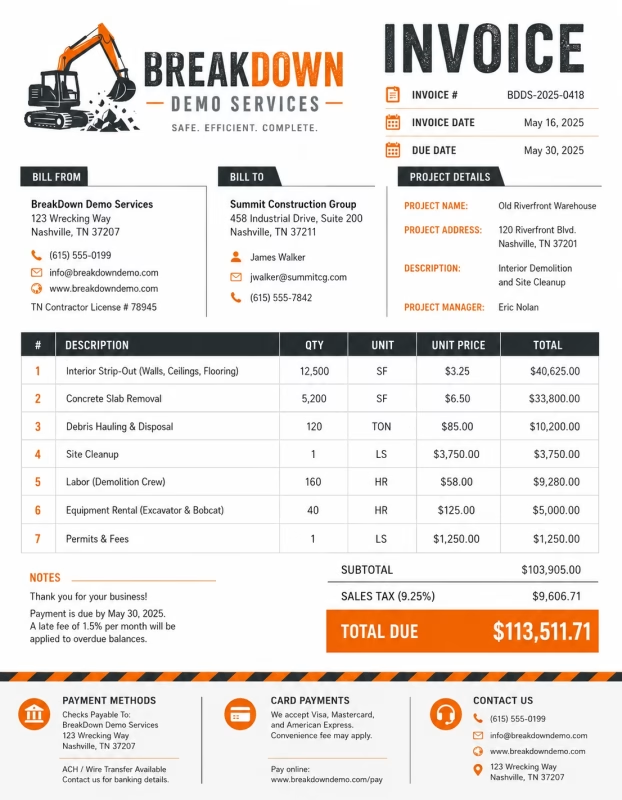
Download Free Demolition Invoice Templates
Download a template, then edit it in PDF, Word, Excel, Google Docs, or Google Sheets. Print it, save it, or send it to your client when the demolition work is complete.
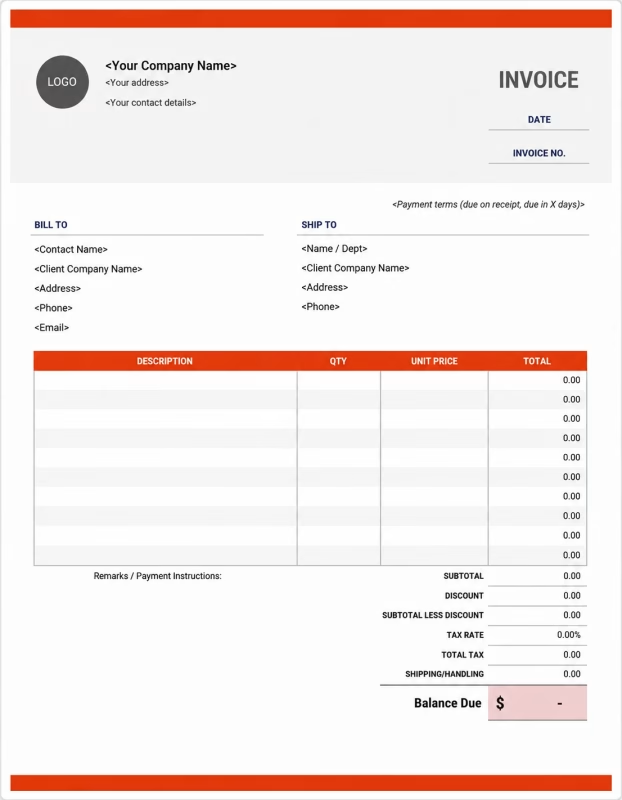


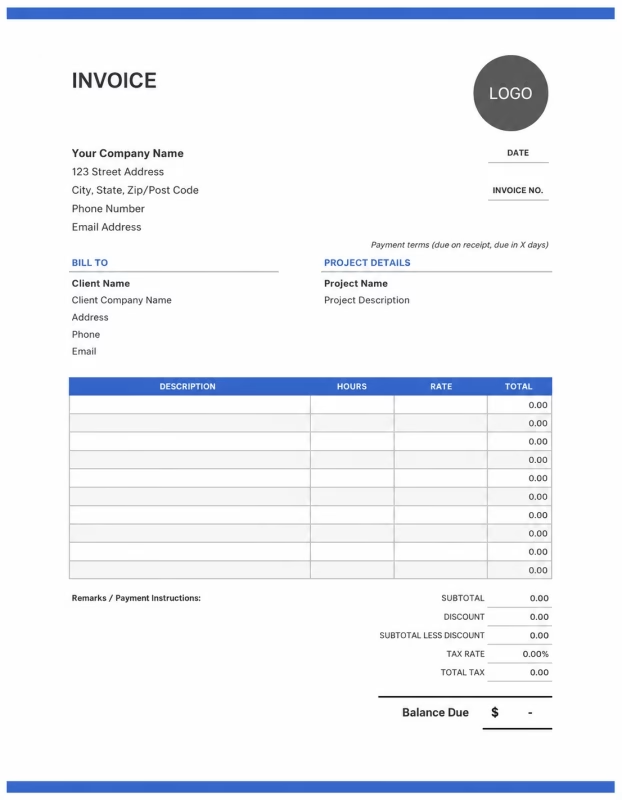
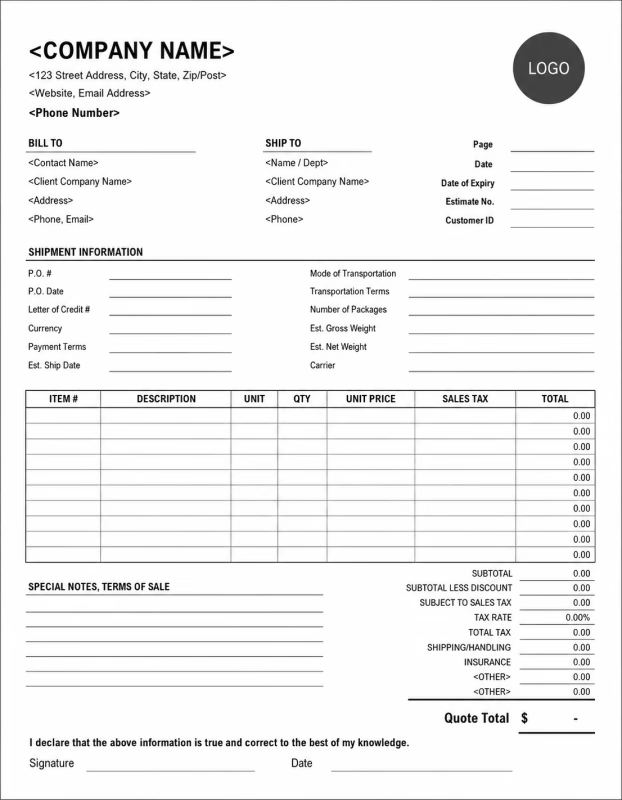
Use these templates for demolition contractors, interior demolition teams, site clearing businesses, debris removal services, construction prep crews, renovation contractors, and cleanup companies.
View our complete selection of invoice templates for a variety of businesses and industries.
How to Invoice for Demolition Work
A good demolition invoice should clearly show the project details, work completed, labor charges, equipment costs, debris removal, disposal fees, taxes, and payment terms.
In 5 Steps:
- Confirm the client details, demolition site address, scope of work, safety requirements, permit needs, and agreed pricing before starting the job.
- Record completed demolition work, labor hours, equipment used, materials removed, debris hauled, and any approved extra work.
- Track project costs such as dumpsters, hauling, disposal, permits, protective materials, cleanup, and equipment rental.
- Calculate labor, equipment charges, debris removal, disposal fees, taxes, discounts, deposits, and the final balance due.
- Send the invoice with payment options, due date, site notes, cleanup details, permit references, and any follow-up work needed.
With Invoize, you can create demolition invoices faster, save client details, reuse services, add disposal fees, and track payments from your phone.
What to Include in a Demolition Invoice
A professional demolition invoice should include the details needed to identify the client, project site, demolition work, charges, and payment terms.
Invoice and Project Details
-
✓
Invoice number Helps track the invoice, payment record, and demolition project history.
-
✓
Client name and contact details Shows who requested the demolition work and who is responsible for payment.
-
✓
Business name and contact details Shows which demolition contractor or company completed the work.
-
✓
Project name or job description Connects the invoice to the correct demolition project, job file, or service request.
-
✓
Demolition site address Shows where the demolition work was completed.
Demolition Work Details
-
✓
Project dates or billing period Shows when the demolition work started, ended, or which billing period the invoice covers.
-
✓
Service description Explains interior demolition, structure removal, concrete removal, site clearing, debris cleanup, or related work.
-
✓
Labor hours and hourly rate Shows how demolition labor costs were calculated when the job is billed by time.
-
✓
Fixed project fee Shows the agreed price when the demolition job is billed as a flat-rate project.
-
✓
Equipment or machinery costs Shows costs for excavators, skid steers, jackhammers, dumpsters, lifts, tools, or rental equipment.
Payment and Final Notes
-
✓
Debris removal and disposal Shows hauling, landfill, recycling, waste handling, dumping, or cleanup charges connected to the job.
-
✓
Discounts, deposits, or previous payments Shows credits or amounts already paid before the final balance.
-
✓
Total amount due Shows the final amount the client needs to pay.
-
✓
Payment due date and methods Tells the client when payment is expected and how they can pay.
-
✓
Permit, safety, or site notes Records permit details, safety notes, cleanup status, remaining site requirements, or final payment instructions.
Billing Scenarios for Demolition Businesses
Use clear invoice labels so clients understand the type of demolition work, site costs, hauling fees, disposal charges, and final project total.
| Scenario | Invoice line items | Best used for | How to describe it |
|---|---|---|---|
| Interior demolition | Labor, wall removal, flooring removal, fixture removal, debris hauling, disposal | Renovation prep, kitchen demolition, bathroom demolition, office strip-outs, or tenant improvements. | List the areas removed, labor, debris removal, and disposal fees so the client can review the work clearly. |
| Full structure demolition | Project fee, equipment, labor, permits, hauling, disposal, cleanup | Small building removal, garage demolition, shed removal, or complete structure removal. | Break the invoice into demolition work, equipment use, disposal, permits, and cleanup. |
| Concrete or pavement removal | Breaking labor, equipment, concrete hauling, disposal, site cleanup | Driveways, sidewalks, patios, slabs, foundations, or parking areas. | Show the area removed, equipment used, hauling cost, and disposal fee separately. |
| Site clearing | Clearing labor, equipment, hauling, debris removal, cleanup | Preparing land for construction, landscaping, renovation, or new installation work. | Describe what was cleared and list labor, equipment, hauling, and cleanup charges. |
| Selective demolition | Targeted removal, protection work, labor, debris handling, disposal | Removing selected walls, cabinets, ceilings, flooring, fixtures, or damaged areas while keeping other parts in place. | Clearly describe what was removed and mention any protection work done for nearby areas. |
| Emergency demolition or cleanup | Urgent service fee, labor, equipment, hauling, disposal, safety work | Storm damage, unsafe structures, fire damage, fallen materials, or urgent debris removal. | Show emergency fees separately and explain the safety or urgent work completed. |
☝️ Create your first invoice in seconds.
Common Charges and Fees for Demolition Businesses
Itemize demolition charges clearly so clients can see labor, equipment, hauling, disposal, permits, cleanup, taxes, and any extra costs.
| Charge or service | Unit | When to use | How to show it |
|---|---|---|---|
| Demolition labor | Time | Use for tearing out, removing, breaking down, sorting, loading, cleanup, or site preparation work. | Show labor hours multiplied by the hourly rate with a short work description. |
| Flat project fee | Fixed price | Use when the full demolition job has one agreed price. | List the project name and fixed amount clearly. |
| Equipment use | Hour, day, or fee | Use when charging for machines, tools, dumpsters, lifts, loaders, or demolition equipment. | Show the equipment name, usage period, and cost. |
| Dumpster rental | Container or day | Use when a dumpster is needed for debris collection and removal. | List the dumpster size, rental period, and cost when available. |
| Debris hauling | Load or service | Use when waste materials are hauled away from the site. | Show hauling as a separate line item from labor and disposal. |
| Disposal or landfill fee | Fee, weight, or load | Use when paying for landfill, recycling, or waste handling. | Add the disposal fee clearly so the client understands the waste removal cost. |
| Permit or inspection fee | Fee | Use when permits, inspections, approvals, or local requirements add cost to the demolition job. | List permit or inspection charges separately from the work total. |
| Safety or protection work | Service or fee | Use when protecting nearby walls, floors, utilities, windows, landscaping, or occupied spaces. | Describe the protection work and show the fee separately when charged. |
| Cleanup fee | Service | Use when sweeping, clearing, loading, or preparing the site after demolition. | Show cleanup as its own line if it is charged separately. |
| Rush or emergency fee | Fee | Use when the client requests urgent demolition, after-hours work, weekend work, or emergency cleanup. | Add a clear label so the client understands why the extra fee applies. |
| Tax | Percentage or amount | Use when tax applies to labor, equipment, materials, hauling, or services based on local rules. | Show tax before the final total so the client can see how the balance was calculated. |
| Deposit or previous payment | Credit | Use when the client paid before or during the demolition project. | Subtract it from the invoice total and show the remaining balance due. |
Create a free account and save labor rates, equipment fees, disposal charges, client details, and common demolition services once, so nothing gets retyped.
Common Demolition Invoicing Mistakes
Demolition work can include labor, equipment, hauling, disposal, permits, safety work, cleanup, and approved changes. Missing details can confuse clients or delay payment. Avoid these common mistakes.
| Mistake | Why it causes problems | How to fix it |
|---|---|---|
| Not describing the demolition work clearly | The client may not understand what was removed, cleared, hauled, or cleaned up. | Add a simple service description for each part of the demolition job. |
| Leaving out the site address | The invoice may be hard to match with the correct project, especially for clients with multiple properties. | Add the demolition site address or project location to every invoice. |
| Combining labor, equipment, and disposal in one line | The total may look unclear because the client cannot see what each part of the job cost. | Separate labor, equipment, hauling, disposal, permits, and cleanup into clear line items. |
| Not listing hauling or disposal fees | Waste removal costs may look hidden or unexpected. | Show debris hauling, dumpster rental, landfill fees, or recycling fees separately. |
| Forgetting permit or inspection costs | The client may not understand why the invoice is higher than the basic demolition work. | Add permit, inspection, or approval fees as separate line items when they apply. |
| Not recording approved extra work | Additional removal or cleanup may be questioned if it was not part of the original agreement. | Show approved changes, extra labor, added equipment use, and updated totals clearly. |
| Forgetting deposits or progress payments | The final balance may look higher than expected. | Show deposits, partial payments, or credits before the balance due. |
| Leaving out safety or site notes | The client may not know what safety work was completed or what site conditions remain. | Add short notes about protection work, cleanup status, hazards, or follow-up needs. |
| Not adding payment terms | The client may not know when or how to pay. | Add due date, accepted payment methods, and any late payment terms you use. |
| Not keeping invoice records | Tracking payments, project history, permits, disposal costs, and client records becomes harder. | Keep a copy of every demolition invoice for your business records. |
More Invoice Templates You May Like
Choose the invoice format that best fits your client's needs.
Professional invoice templates for electricians, wiring projects, repair services, and electrical contractor billing.
Professional invoice templates for fencing contractors, installation projects, repair services, and client billing workflows.
Professional invoice templates for HVAC services, heating and cooling projects, maintenance work, and client billing.
Demolition Invoice FAQs
Line items for labor, site preparation, debris removal, equipment, permits, disposal fees, hazardous material handling, hauling, deposits, and final cleanup. Built for demolition contractors, junk removal teams, renovation crews, and site clearing professionals using the Demolition Invoice Template.
How should I show demolition labor on an invoice?
Break labor into clear work tasks instead of using one general total. Example: “Interior wall removal: 6 hours × $65/hr = $390” or “Garage demolition labor: 2-person crew: 8 hours = $1,040.” This helps the client understand what type of demolition work was completed.
What demolition services should be listed on the invoice?
List each service separately, such as wall removal, flooring removal, cabinet removal, shed demolition, concrete breaking, roof tear-off, or full structure removal. Example: “Kitchen cabinet demolition: $250” and “Tile floor removal: 180 sq ft × $3.50/sq ft = $630.”
How do I invoice for debris removal and hauling?
Add debris removal as its own line item with the load size, truck count, or weight if available. Example: “Debris hauling: 2 truck loads: $400” or “Construction waste removal: 1.5 tons: $285.” This keeps cleanup and disposal costs separate from demolition labor.
Should equipment charges be shown separately?
Yes. If special equipment was used, list it separately from labor. Example: “Jackhammer rental: 1 day: $90,” “Dumpster rental: 10-yard container: $350,” or “Mini excavator use: 4 hours × $110/hr = $440.” This makes larger project costs easier to explain.
Can I include permit or inspection fees on a demolition invoice?
Yes. If the job required a demolition permit, inspection, or local approval, add it as a separate charge. Example: “Demolition permit fee: $175” or “Site inspection fee: $85.” This shows the client that the fee was required for the project.
How should I bill for hazardous material handling?
List hazardous material work separately and clearly. Example: “Asbestos inspection coordination: $150,” “Lead paint containment setup: $280,” or “Special disposal handling: $320.” This helps separate standard demolition from safety-related or regulated work.
How do I show deposits or partial payments for demolition work?
Show the full project cost, deposit received, and remaining balance. Example: “Project total: $3,200,” “Deposit paid: $800,” and “Balance due after debris removal: $2,400.” This is useful for larger jobs that require upfront scheduling or dumpster rental costs.
What payment terms should a demolition invoice include?
Include the due date, accepted payment methods, late fee policy, and any notes about site access, debris removal, or extra charges. Example: “Payment due within 7 days. Additional charges may apply for hidden materials, extra debris loads, or work outside the approved project scope.”
Used by Businesses Around the World
From freelancers to growing companies, Invoize helps businesses create professional invoices, manage billing, and get paid faster.







Create and Send Professional Invoices in Seconds
Invoize helps freelancers and businesses create, manage, and send invoices easily
from anywhere without complicated accounting software.
- Smart Invoice Management
- Expense & Payment Tracking
- Secure Local Data Storage






★★★★★
Trusted by 1400+ Business Owners