Supplier Invoice Template

Free invoice templates for suppliers, product vendors, wholesalers, distributors, manufacturers, inventory providers, material suppliers, and B2B supply businesses. Download and edit in PDF, Word, Excel, Google Docs, or Google Sheets.

Use this template to bill for supplied goods, product orders, wholesale items, materials, inventory, delivery, shipping, handling, taxes, discounts, deposits, and payment terms in a clear and professional way.

Download the App

Create, send and manage invoices on the go.

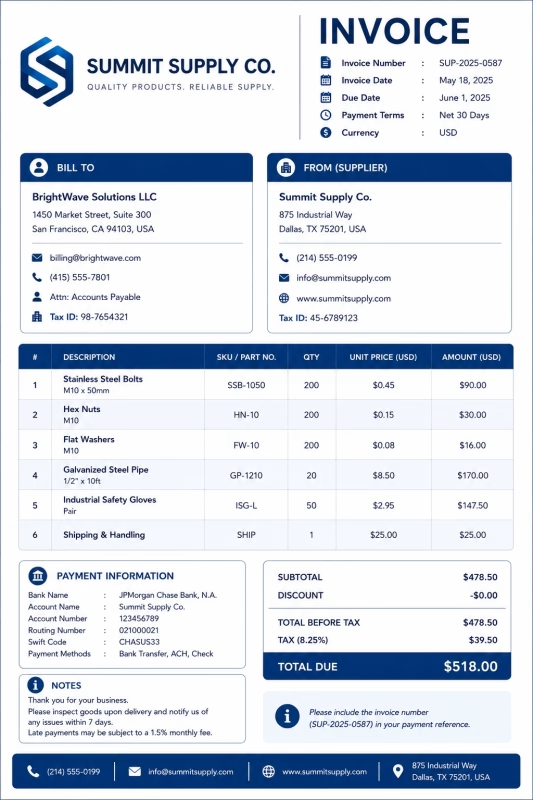
Supplier invoice template showing supplied products, order details, itemized charges, and payment information

Download Free Supplier Invoice Templates

Download a template, then edit it in PDF, Word, Excel, Google Docs, or Google Sheets. Print it, save it, or send it to your customer, retailer, buyer, company, contractor, or organization when the order is delivered or when a billing period ends.

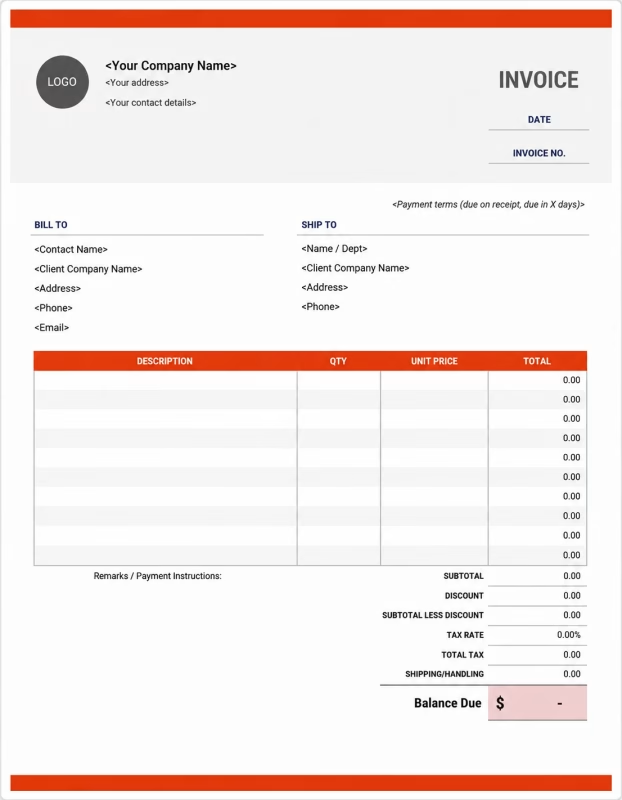
Custom Supplier
Invoice Template

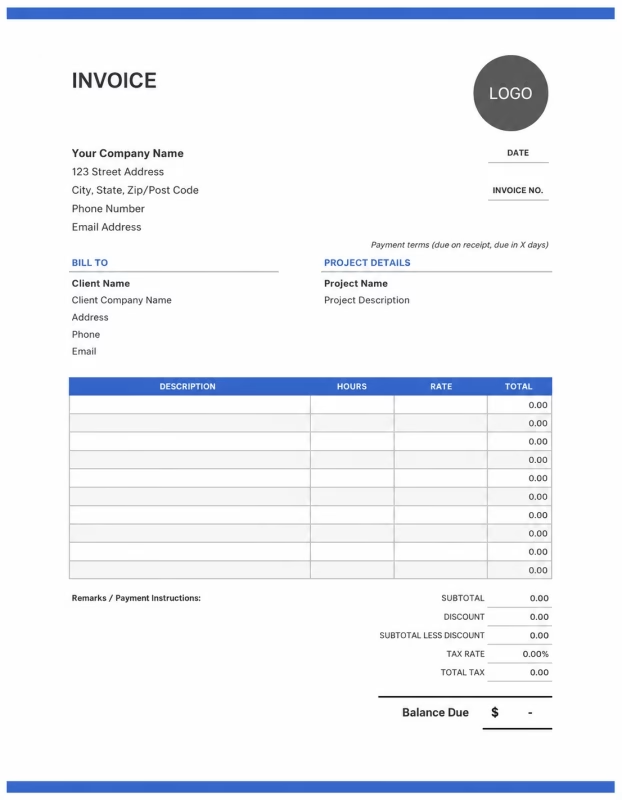
Editable Supplier
Invoice Template

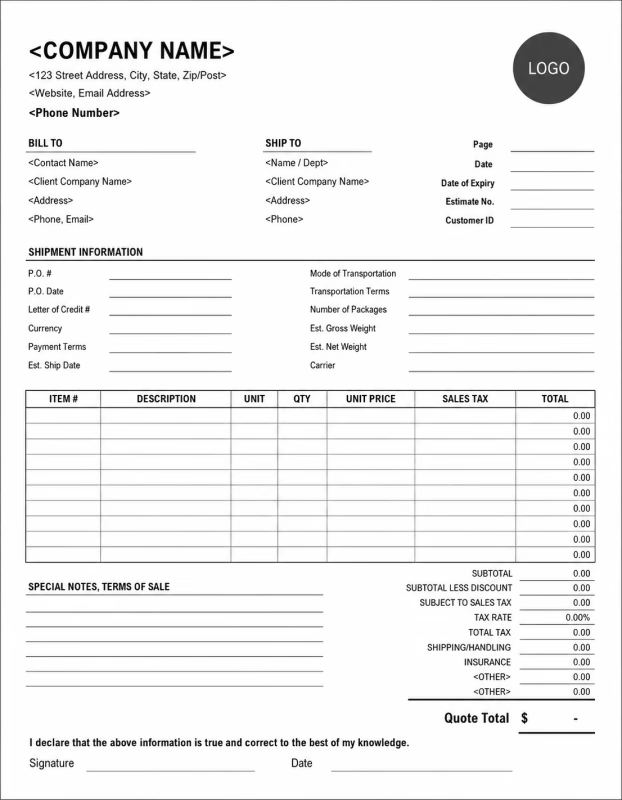
Printable Supplier
Invoice Template

Use these templates for product suppliers, wholesalers, distributors, manufacturers, material suppliers, inventory providers, trade suppliers, and B2B product businesses.

View our complete selection of invoice templates for a variety of businesses and industries.

Supplier invoice Generator

Don’t want to use a template? Use this Supplier invoice generator to quickly create a professional Supplier invoice in just a few steps.

📦
Supplier Invoice Generator
Create supplier invoices for products, purchase orders, shipping, handling, tax, discounts, deposits, and bulk order billing.
Supplier & Buyer Details
Uploaded logo preview
Logo
Preview
Upload PNG, JPG, JPEG, SVG, or WebP from your device. The logo will appear in the invoice preview and downloaded PDF.
Invoice Items
Add supplied products or services
Add products, goods, parts, supplies, wholesale items, delivery items, or any service supplied to the buyer.
Shipping, Tax & Adjustments
$
$
%
$
$
Subtotal
$0.00
Tax Amount
$0.00
Deductions
$0.00
Total Due
$0.00
Invoice Preview
Supplier Invoice

Supplier / Company Name

PO:

Reference:

INVOICE

Invoice #: INV-001

Invoice date:

Due date:

Currency: USD - US Dollar

Bill To
Buyer / Client Name
Supplier / Order Details
Supplier:
Purchase order:
Delivery date:
Payment terms:
Reference:
Description Qty Unit Price Amount
Subtotal $0.00
Shipping / Delivery $0.00
Handling $0.00
Tax $0.00
Discount -$0.00
Advance / Deposit -$0.00
Total Amount Due $0.00
Note: The Download PDF button opens your browser print window. Choose “Save as PDF” to download the invoice.


How to Invoice for Supplier Orders

A good supplier invoice should clearly show the buyer details, supplier details, order number, product list, item quantities, unit prices, delivery fees, taxes, deposits, discounts, and payment terms.

In 5 Steps:
  1. Confirm the buyer, customer, company, contractor, retailer, or organization details, order number, product list, delivery address, payment terms, and agreed pricing before preparing the invoice.
  2. Record supplied goods, materials, wholesale products, inventory items, delivery details, shipment references, packing notes, and any approved extra charges.
  3. Track supplier-related costs such as product cost, packaging, handling, shipping, delivery, storage, loading, special handling, and order processing.
  4. Calculate item totals, quantities, unit prices, bulk pricing, discounts, delivery charges, taxes if applicable, deposits, credits, and the final balance due.
  5. Send the invoice with payment options, due date, order details, delivery notes, product descriptions, and any remaining balance instructions.

With Invoize, you can create supplier invoices faster, save customer details, reuse common products, add quantities and delivery charges, and track payments from your phone.

What to Include in a Supplier Invoice

A professional supplier invoice should include the details needed to identify the buyer, supplier, order, supplied products, charges, and payment terms.

Invoice and Order Details

  • Invoice number Helps track the invoice, payment record, and supplier order history.
  • Buyer, customer, company, contractor, or retailer details Shows who ordered the supplied goods and who is responsible for payment.
  • Supplier, vendor, distributor, or manufacturer details Shows which supplier provided the products, materials, inventory items, or goods.
  • Order number, purchase order, quote, or account reference Connects the invoice to the correct supplier order, purchase request, quote, or buyer account.
  • Invoice date, order date, delivery date, or shipping date Shows when the order was placed, supplied, delivered, shipped, billed, or which billing period the invoice covers.

Product and Delivery Details

  • Delivery address, warehouse, site, store, or service location Shows where the supplied goods were delivered or where the order was used.
  • Product, SKU, model, part number, or material type Helps identify the exact products, parts, materials, goods, models, or SKUs being billed.
  • Quantity, unit, pack size, carton count, or pallet count Shows how the supplier order total was calculated by quantity, unit, pack size, carton count, pallet count, or weight.
  • Unit price, bulk price, item price, or agreed rate Shows the pricing method for each supplied item, including wholesale price, bulk price, item price, agreed rate, or line item total.
  • Condition, batch, serial, expiry, or lot details Helps with inventory tracking, product records, warranty support, order verification, and supplier documentation.

Payment and Final Notes

  • Shipping and extra fees Lists shipping, delivery, freight, handling, packaging, loading, unloading, rush order, special handling, storage, backorder, return, or restocking fees.
  • Discounts, deposits, advance payments, or credits Shows credits, deposits, advance payments, discounts, or amounts already paid before the final balance.
  • Subtotal, tax, and total amount due Shows the final amount the buyer, customer, company, or organization needs to pay.
  • Payment due date and methods Tells the buyer when payment is expected and how they can pay.
  • Order notes or payment terms Records delivery terms, return policy, warranty notes, late fees, purchase order terms, balance instructions, or supplier order notes.
```

Billing Scenarios for Suppliers

Use clear invoice labels so buyers, retailers, contractors, companies, and organizations understand the products supplied, quantity billed, delivery charge, discount, deposit, and final amount due.

Scenario Invoice line items Best used for How to describe it
Product supply order Product items, quantities, unit prices, order number, delivery charge Standard product orders, repeat customer orders, shop supplies, office supplies, and business purchases. Show the order number, product names, quantities, unit prices, delivery date, and final amount clearly.
Wholesale supply order Wholesale items, bulk quantity, carton count, bulk discount, shipping Retailers, resellers, shops, ecommerce sellers, and buyers purchasing goods in larger quantities. List each wholesale item, carton or pack count, bulk price, discount, and shipping charge.
Material supply invoice Materials supplied, weight, unit, delivery, handling, site reference Construction materials, manufacturing supplies, raw materials, packaging materials, and trade supplies. Show the material type, quantity, unit rate, site or project reference, and delivery cost.
Recurring supplier billing Monthly supply, account reference, product list, delivery dates, balance due Regular supplier accounts, monthly business supplies, inventory replenishment, and ongoing vendor relationships. Show the billing period, items supplied, delivery dates, previous payments, and remaining balance.
Manufacturer or distributor supply Manufactured goods, SKU list, batch numbers, pallet count, freight Manufacturers, distributors, warehouse deliveries, bulk shipments, and B2B product supply. Show SKU numbers, batch or lot details, pallet count, shipment reference, and freight charge.
Rush or special order supply Special order items, rush fee, handling, delivery, approved extra charge Urgent orders, custom supply requests, hard-to-source products, and time-sensitive deliveries. Show the special order details, approval note, rush charge, delivery date, and updated total.

☝️ Create your first invoice in seconds.

Common Charges and Fees for Supplier Invoices

Itemize supplier charges clearly so buyers can see product costs, quantities, delivery fees, handling charges, discounts, taxes, and any extra costs.

Charge or service Unit When to use How to show it
Product supply charge Item, unit, pack, carton, or order Use when billing for products, goods, parts, supplies, or inventory items delivered to a buyer. Show product name, quantity, unit price, and line total clearly.
Wholesale item charge Carton, case, pallet, pack, or bulk order Use when pricing is based on bulk quantity, wholesale rate, or reseller order volume. Show pack size, carton count, bulk rate, discount, and total amount.
Material supply charge Meter, yard, kilogram, ton, roll, sheet, or unit Use when supplying raw materials, construction materials, packaging, fabrics, metals, wood, or other trade materials. Show material name, unit, quantity, rate, and total cost.
Delivery or shipping fee Delivery, shipment, trip, mile, or kilometer Use when transporting goods to a store, warehouse, job site, customer address, or business location. Show delivery address, shipment date, delivery method, and delivery fee separately.
Freight or pallet charge Pallet, shipment, container, or load Use when large supplier orders require freight, pallet transport, container movement, or heavy delivery support. Show pallet count, shipment reference, freight method, and freight amount.
Packaging or handling fee Box, carton, pallet, order, or fee Use when packaging, labeling, wrapping, packing, or special handling is billed separately. Show packaging or handling separately from product prices.
Loading or unloading fee Hour, pallet, shipment, or service Use when staff, warehouse workers, or equipment are needed to load, unload, move, or arrange goods. Show labor time, pallet count, equipment use, and loading or unloading fee.
Rush order fee Fee, order, or percentage Use when the buyer requests urgent supply, fast processing, priority picking, or expedited delivery. Add a clear label so the buyer understands why the rush fee applies.
Return or restocking fee Fee, item, order, or percentage Use when returned goods, cancelled orders, opened cartons, or restocked items create an extra charge. Show return or restocking fees separately with a short note.
Storage or holding fee Day, week, month, pallet, or order Use when goods are held for the buyer before delivery, pickup, or shipment. Show the holding period, quantity stored, and storage or holding fee.
Tax Percentage or amount Use when tax applies to supplied products, materials, shipping, handling, or extra fees based on local rules. Show tax before the final total so the buyer can see how the balance was calculated.
Deposit, advance payment, or previous payment Credit Use when the buyer, customer, retailer, contractor, or organization paid before or during the supplier order. Subtract it from the invoice total and show the remaining balance due.

Create a free account and save supplier product prices, wholesale rates, customer details, delivery fees, handling charges, and common supplier invoice items once, so nothing gets retyped.

Common Supplier Invoicing Mistakes

Supplier billing can include product names, quantities, purchase orders, delivery dates, shipping charges, handling fees, discounts, deposits, and payment terms. Missing details can confuse buyers or delay payment. Avoid these common mistakes.

Mistake Why it causes problems How to fix it
Not listing the order number or purchase order The buyer may not know which supplier order, purchase request, quote, or account the invoice covers. Add the order number, purchase order number, quote number, account reference, or billing period clearly.
Not describing supplied products clearly The buyer may not understand which goods, parts, materials, or inventory items were supplied. Add product names, item descriptions, SKU numbers, model numbers, material types, or part numbers.
Combining all charges in one line The total may look unclear because the buyer cannot see products, shipping, handling, discounts, deposits, and taxes separately. Separate product costs, delivery fees, handling fees, packing fees, discounts, deposits, and taxes into clear line items.
Not showing quantity or unit price The buyer may question the charge if item quantity, unit, pack size, or unit price is not visible. Show quantity, unit, pack size, carton count, pallet count, unit price, and line total clearly.
Leaving out delivery or shipping details The buyer may not know when the goods were delivered, shipped, picked up, or received. Add delivery date, shipping date, delivery address, shipment reference, tracking notes, or pickup details.
Forgetting batch, SKU, or product reference details The invoice may be hard to match with inventory records, warranty records, or warehouse stock. Add SKUs, lot numbers, batch numbers, serial numbers, model numbers, or product references when useful.
Forgetting delivery, freight, or handling fees Shipping, freight, packing, loading, or special handling may look unexpected if not listed clearly. Add delivery, freight, packaging, loading, unloading, and handling fees as separate line items when charged.
Not recording discounts or credits The buyer may not see how bulk discounts, returns, credits, or previous payments changed the final total. Show bulk discounts, credits, returned item adjustments, deposits, advance payments, and previous payments before the balance due.
Leaving out return or payment terms The buyer may not know when payment is due or how returns, damaged goods, late fees, or restocking fees are handled. Add payment due date, payment methods, return policy, damaged goods notes, restocking terms, and late payment rules.
Not keeping invoice records Tracking supplier orders, stock movement, payments, delivery records, returns, and customer history becomes harder. Keep a copy of every supplier invoice for your supply, distribution, wholesale, or vendor business records.

More Invoice Templates You May Like

Choose the invoice format that best fits your client's needs.

Professional invoice templates for tuition services, classes, and student billing.

Professional invoice templates for warehouse services, storage, and logistics billing.

Professional invoice templates for auction services, sales, and transaction billing.

Supplier Invoice FAQs

Line items for supplied goods, product quantities, unit prices, bulk orders, delivery charges, purchase orders, discounts, taxes, deposits, and final payment. Built for suppliers, wholesalers, distributors, vendors, manufacturers, and product-based businesses using the Supplier Invoice Template.

How should I show supplied goods on a supplier invoice?

List each product separately with the item name, quantity, unit price, and total amount. Example: “Office chairs: 10 units × $85 = $850” or “Packaging boxes: 500 units × $0.40 = $200.” This helps the buyer clearly understand what goods were supplied.

What buyer and supplier details should be included on the invoice?

Include the supplier name, buyer name, business address, contact details, invoice number, invoice date, and payment due date. Example: “Supplier: ABC Wholesale, Buyer: Green Retail Store, Invoice date: June 12.” This connects the invoice to the correct business transaction.

Should purchase order numbers be included?

Yes. If the buyer provided a purchase order, add the PO number clearly on the invoice. Example: “Purchase Order #PO-1048.” This helps the buyer match the invoice with their approved order and makes payment processing easier.

How do I invoice for bulk or wholesale orders?

Show the product quantity, wholesale rate, and total amount for each item. Example: “T-shirts: 200 pieces × $6.50 = $1,300.” If bulk pricing or tiered pricing applies, mention it in the item description so the buyer can review the discount.

Can I include delivery or shipping charges?

Yes. Delivery, freight, courier, loading, or handling charges should be listed separately from product costs. Example: “Delivery charge: Warehouse to buyer location: $75” or “Freight handling fee: $120.” This keeps product pricing separate from shipping costs.

How should I show discounts, taxes, or credits?

Show discounts, tax, and credits clearly below the item subtotal. Example: “Bulk order discount: -$100,” “Sales tax: $85,” and “Credit from previous order: -$50.” This helps the buyer understand how the final balance was calculated.

How do I show deposits or advance payments?

Show the full supplier invoice total, deposit paid, and remaining balance. Example: “Order total: $2,500,” “Advance payment received: $700,” and “Balance due: $1,800.” This helps both the supplier and buyer track payment clearly.

What payment terms should a supplier invoice include?

Include the due date, accepted payment methods, late fee policy, delivery terms, and return or shortage claim rules. Example: “Payment due within 30 days. Shortages, damaged goods, or return requests must be reported within 3 days of delivery.”

Used by Businesses Around the World

From freelancers to growing companies, Invoize helps businesses create professional invoices, manage billing, and get paid faster.

invoize App

Create and Send Professional Invoices in Seconds

Invoize helps freelancers and businesses create, manage, and send invoices easily
from anywhere without complicated accounting software.