
Snow Removal Invoice Template
Free invoice templates for snow removal businesses, snow plowing contractors, driveway clearing services, sidewalk shoveling providers, ice control companies, property maintenance teams, and winter service professionals. Download and edit in PDF, Word, Excel, Google Docs, or Google Sheets.
Use this template to bill for snow plowing, shoveling, salting, de-icing, ice melt, emergency snow removal, seasonal contracts, equipment use, travel fees, taxes, discounts, deposits, and payment terms in a clear and professional way.
Download the App
Create, send and manage invoices on the go.


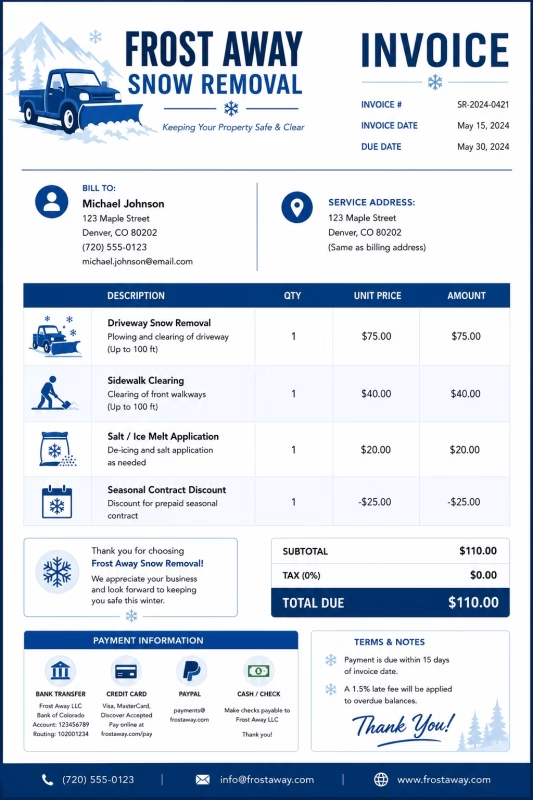
Download Free Snow Removal Invoice Templates
Download a template, then edit it in PDF, Word, Excel, Google Docs, or Google Sheets. Print it, save it, or send it to your customer when the snow removal service is complete or when a billing period ends.
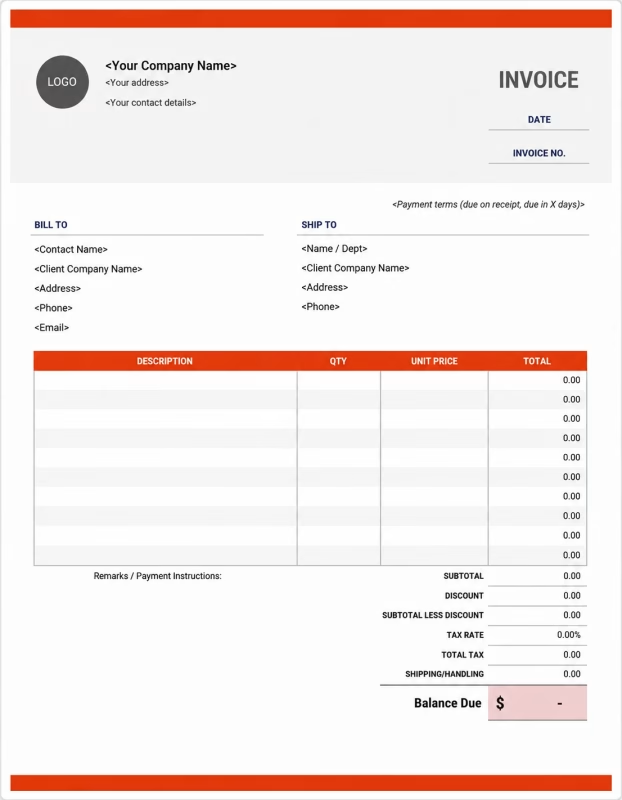


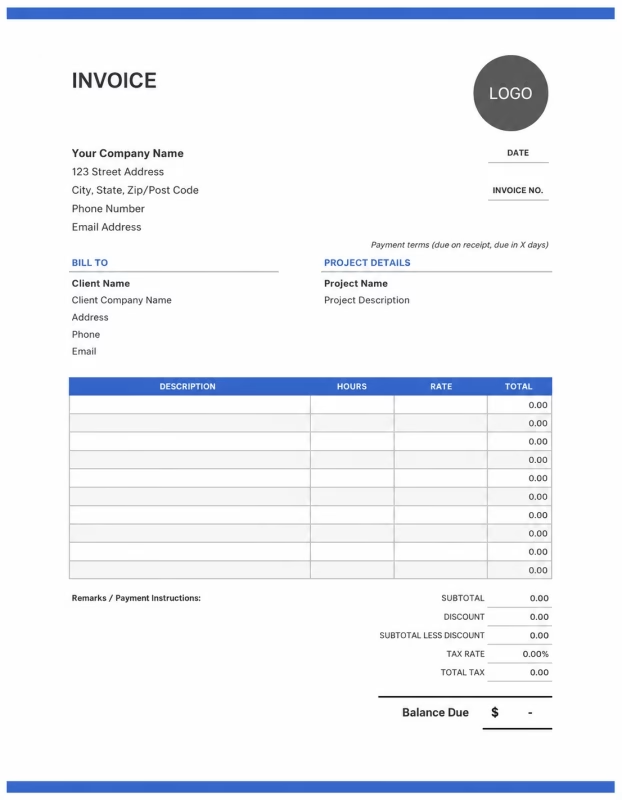
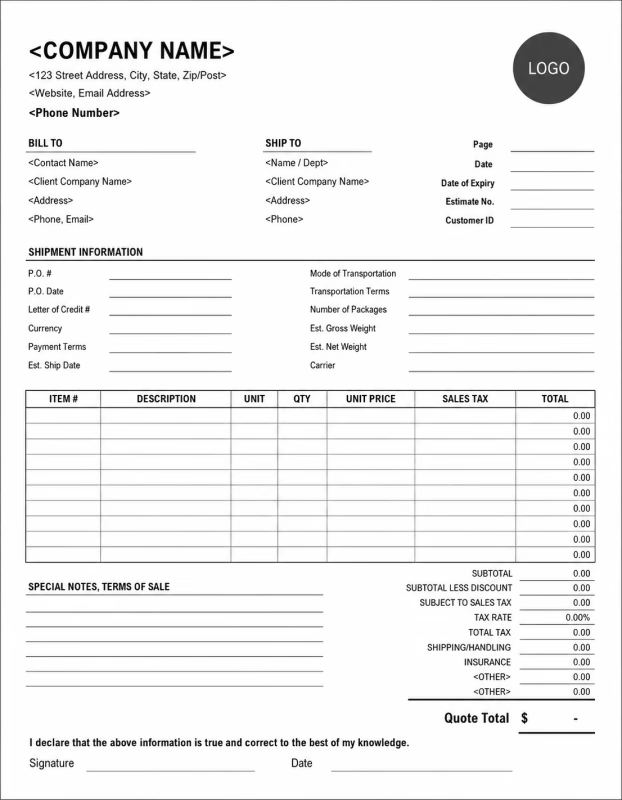
Use these templates for snow removal companies, snow plow operators, residential snow clearing services, commercial snow removal contractors, sidewalk clearing teams, ice control providers, and winter property maintenance businesses.
View our complete selection of invoice templates for a variety of businesses and industries.
How to Invoice for Snow Removal Work
A good snow removal invoice should clearly show the customer details, service address, snow removal date, cleared areas, labor charges, equipment fees, salt or de-icing materials, taxes, and payment terms.
In 5 Steps:
- Confirm the customer details, service location, snow removal area, service type, weather conditions, equipment needs, and agreed pricing before starting the job.
- Record completed snow removal work, driveway clearing, sidewalk shoveling, parking lot plowing, salting, de-icing, cleanup, and any approved extra services.
- Track service costs such as labor, snow plow use, shovels, salt, ice melt, fuel, travel, parking, emergency call-outs, and equipment time.
- Calculate snow removal charges, labor, equipment fees, materials, travel costs, taxes, discounts, deposits, and the final balance due.
- Send the invoice with payment options, due date, service notes, cleared area details, and any follow-up or recurring service information.
With Invoize, you can create snow removal invoices faster, save customer details, reuse common winter services, add salt and equipment fees, and track payments from your phone.
What to Include in a Snow Removal Invoice
A professional snow removal invoice should include the details needed to identify the customer, property, snow removal work, materials, charges, and payment terms.
Invoice and Property Details
-
✓
Invoice number Helps track the invoice, payment record, and snow removal service history.
-
✓
Customer name and contact details Shows who requested the snow removal service and who is responsible for payment.
-
✓
Business name and contact details Shows which snow removal company, contractor, or winter service provider completed the work.
-
✓
Service address or job location Shows where the snow removal work was completed.
-
✓
Service date or billing period Shows when the snow removal service was completed or which winter service period the invoice covers.
Snow Removal Details
-
✓
Property type Shows whether the work was for a home, apartment building, office, retail store, parking lot, driveway, or commercial property.
-
✓
Service type Shows whether the work was snow plowing, shoveling, salting, de-icing, ice removal, or emergency snow clearing.
-
✓
Areas cleared Shows which areas were serviced, such as driveway, sidewalk, steps, walkway, parking lot, entrance, or loading zone.
-
✓
Snow depth or weather notes Helps explain the amount of work, equipment used, and pricing for heavy snow or icy conditions.
-
✓
Service description Explains plowing, shoveling, clearing, salting, sanding, de-icing, or ice treatment work.
Payment and Final Notes
-
✓
Labor or seasonal service fee Shows whether the job was billed by labor hours, hourly rate, flat service fee, or recurring winter plan.
-
✓
Materials and extra fees Lists salt, sand, ice melt, de-icer, equipment use, travel, fuel, emergency call-out, or after-hours fees.
-
✓
Discounts, deposits, or previous payments Shows credits or amounts already paid before the final balance.
-
✓
Total amount due Shows the final amount the customer needs to pay.
-
✓
Payment terms and winter care notes Records the due date, payment methods, ice warnings, return visit details, seasonal terms, or follow-up service recommendations.
Billing Scenarios for Snow Removal Businesses
Use clear invoice labels so customers understand the type of snow removal service, labor cost, material charges, equipment fees, and final amount due.
| Scenario | Invoice line items | Best used for | How to describe it |
|---|---|---|---|
| Residential driveway snow removal | Driveway plowing, sidewalk shoveling, salt application, service fee | Homes, townhouses, apartments, and residential properties needing driveway or walkway clearing. | Show the service address, cleared areas, snow removal date, and flat or hourly charge clearly. |
| Commercial parking lot plowing | Parking lot plowing, equipment use, salt, de-icing, labor, service notes | Retail stores, offices, warehouses, restaurants, schools, and commercial parking areas. | List the parking lot area, service time, equipment used, salt applied, and any access or after-hours fees. |
| Sidewalk and walkway clearing | Sidewalk shoveling, entrance clearing, steps clearing, ice melt, labor | Homes, businesses, apartment buildings, storefronts, schools, and public entry areas. | Show the sidewalk length, entrances cleared, service time, and ice treatment details. |
| Seasonal snow removal contract | Monthly winter service, scheduled visits, snow plowing, salting, balance due | Customers with recurring winter service agreements or seasonal snow removal plans. | Show the billing period, included services, number of visits if needed, and contract amount. |
| Emergency snow removal | Emergency call-out fee, snow clearing, after-hours service, equipment use, salt | Urgent snow removal, heavy snowfall cleanup, blocked driveways, emergency access, or same-day service. | Show the emergency service date, reason for call-out, after-hours fee, and completed work clearly. |
| Ice control and de-icing service | Salt application, ice melt, sanding, slippery area treatment, service notes | Icy sidewalks, parking lots, entrances, ramps, loading zones, and high-traffic areas. | Describe the treated areas, materials used, weather notes, and any follow-up recommendations. |
☝️ Create your first invoice in seconds.
Common Charges and Fees for Snow Removal Businesses
Itemize snow removal charges clearly so customers can see labor, plowing, shoveling, salting, equipment, travel, taxes, and any extra costs.
| Charge or service | Unit | When to use | How to show it |
|---|---|---|---|
| Snow removal labor | Hour | Use when billing by time for shoveling, plowing, clearing, salting, cleanup, or ice control work. | Show labor hours multiplied by the hourly rate with a short service description. |
| Flat snow removal fee | Service or visit | Use when the snow removal job has one agreed price per visit. | List the service type, cleared areas, and fixed amount clearly. |
| Driveway plowing | Driveway or visit | Use when clearing snow from residential driveways, shared driveways, or small private roads. | Show the driveway service, visit date, and plowing fee separately. |
| Sidewalk shoveling | Area, hour, or visit | Use when clearing sidewalks, walkways, steps, entrances, ramps, or paths. | Show the areas cleared and the shoveling charge clearly. |
| Parking lot plowing | Lot, hour, or visit | Use for commercial lots, apartment parking areas, business spaces, and large paved areas. | Show the parking lot size, service time, and plowing charge. |
| Salt or ice melt | Bag, pound, kilogram, or application | Use when applying salt, sand, ice melt, de-icer, or traction material after snow clearing. | List the material used, quantity, and application charge when useful. |
| Equipment fee | Service, hour, or fee | Use when snow plows, snow blowers, loaders, spreaders, or other equipment are billed separately. | Show equipment use separately when it adds to the service cost. |
| Travel or service call fee | Mile, kilometer, or fee | Use when travel distance, fuel, parking, or location access adds cost to the job. | Show travel or service call fees separately from the snow removal charge. |
| Emergency or after-hours fee | Fee | Use for urgent snow removal, night service, weekend work, holiday service, or same-day call-outs. | Add a clear label so the customer understands why the extra fee applies. |
| Seasonal contract fee | Month, season, or contract | Use for recurring snow removal agreements, winter maintenance plans, or monthly service contracts. | Show the billing period, included services, and contract amount. |
| Tax | Percentage or amount | Use when tax applies to snow removal services, materials, equipment, or extra fees based on local rules. | Show tax before the final total so the customer can see how the balance was calculated. |
| Deposit or previous payment | Credit | Use when the customer paid before or during the snow removal service period. | Subtract it from the invoice total and show the remaining balance due. |
Create a free account and save snow removal rates, plowing fees, salt charges, customer details, and common winter service items once, so nothing gets retyped.
Common Snow Removal Invoicing Mistakes
Snow removal work can include service dates, property details, cleared areas, snow depth, plowing, shoveling, salting, emergency fees, seasonal contracts, and payment terms. Missing details can confuse customers or delay payment. Avoid these common mistakes.
| Mistake | Why it causes problems | How to fix it |
|---|---|---|
| Not listing the service address | The invoice may be hard to match with the correct home, business, parking lot, or snow removal job. | Add the service address or job location to every snow removal invoice. |
| Not showing the service date clearly | The customer may not know which storm, visit, week, or billing period the invoice covers. | Add the snow removal date, service time, visit dates, or billing period clearly. |
| Not describing the cleared areas | The customer may not understand which driveway, sidewalk, entrance, parking lot, or walkway was included. | Add the areas cleared and the type of snow removal work completed. |
| Combining all charges in one line | The total may look unclear because the customer cannot see labor, plowing, salting, equipment, and taxes separately. | Separate snow removal labor, plowing, shoveling, salt, equipment, travel, deposits, and taxes into clear line items. |
| Forgetting salt or de-icing materials | Material costs may look unexpected if salt, sand, or ice melt is not listed clearly. | Show salt, ice melt, sand, de-icer, or traction material as separate line items when charged. |
| Not recording snow depth or weather notes | Heavy snowfall, ice, or storm conditions may affect pricing but be unclear to the customer. | Add short weather notes, snow depth, ice conditions, or storm details when useful. |
| Leaving out emergency or after-hours fees | Urgent service charges may surprise the customer if they are not explained. | Add emergency, same-day, weekend, holiday, or after-hours fees as separate line items. |
| Forgetting seasonal contract details | The customer may not know whether the invoice covers one visit, a month, or the full winter season. | Add the contract period, included services, visit terms, and recurring billing details. |
| Leaving out ice warning or follow-up notes | The customer may not know whether more treatment, salt, or follow-up service is recommended. | Add service notes for icy areas, salt application, follow-up visits, or safety recommendations. |
| Not keeping invoice records | Tracking snow removal visits, payments, seasonal contracts, materials, and customer history becomes harder. | Keep a copy of every snow removal invoice for your business records. |
More Invoice Templates You May Like
Choose the invoice format that best fits your client's needs.
Professional invoice templates for taxi services, passenger transport, ride bookings, and fare billing workflows.
Professional invoice templates for teaching services, tutoring sessions, training programs, and educational billing workflows.
Professional invoice templates for translation services, document localization, interpretation work, and language service billing workflows.
Snow Removal Invoice FAQs
Line items for snow plowing, shoveling, salting, de-icing, sidewalk clearing, driveway service, parking lot clearing, emergency calls, deposits, and final payment. Built for snow removal companies, plow operators, property maintenance teams, and winter service providers using the Snow Removal Invoice Template.
How should I show snow removal charges on an invoice?
List the service by area, visit, or billing rate instead of using one general total. Example: “Driveway snow plowing: 1 visit: $60” or “Parking lot snow removal: 2 hours × $95/hr = $190.” This helps the customer understand how the snow removal cost was calculated.
What property details should be included on a snow removal invoice?
Include the property address, service date, service area, snow depth if needed, and type of work completed. Example: “Residential driveway and front walkway cleared at 245 Main Street after 6 inches of snowfall.” This connects the invoice to the exact winter service job.
How do I invoice for driveway or sidewalk clearing?
List each cleared area separately with the price or rate. Example: “Driveway plowing: $65” and “Sidewalk shoveling: $25.” If the service includes both, you can show it as a package or list each area for better clarity.
Should salting or de-icing be listed separately?
Yes. Salt, ice melt, sand, and de-icing treatments should be shown as separate line items if they are not included in the main snow removal price. Example: “Salt application for walkway and steps: $30” or “Ice melt treatment: 2 bags: $24.”
Can I charge extra for emergency or after-hours snow removal?
Yes. Emergency, overnight, holiday, or same-day snow removal fees should be listed separately. Example: “Emergency snow removal fee: Service completed after 10 PM: $75.” This explains why the invoice total is higher than a normal scheduled visit.
How should I bill for commercial snow removal?
Show the property type, service area, visit count, or hourly rate. Example: “Commercial parking lot plowing: 3 visits × $180 = $540” or “Storefront walkway clearing: Weekly winter service: $250.” This keeps commercial billing clear for business clients.
How do I show seasonal snow removal contracts?
List the service period, covered services, and payment amount. Example: “Seasonal snow removal plan: December to March: Driveway plowing and sidewalk clearing: $1,200.” If salt or extra visits are not included, mention those charges separately.
What payment terms should a snow removal invoice include?
Include the due date, accepted payment methods, seasonal contract terms, late fee policy, and extra service rules. Example: “Payment due within 7 days. Extra charges may apply for heavy snowfall, ice treatment, after-hours service, or additional clearing areas requested during the visit.”
Used by Businesses Around the World
From freelancers to growing companies, Invoize helps businesses create professional invoices, manage billing, and get paid faster.







Create and Send Professional Invoices in Seconds
Invoize helps freelancers and businesses create, manage, and send invoices easily
from anywhere without complicated accounting software.
- Smart Invoice Management
- Expense & Payment Tracking
- Secure Local Data Storage






★★★★★
Trusted by 1400+ Business Owners