
Window Cleaning Invoice Template
Free invoice templates for window cleaning businesses, residential window cleaners, commercial window washing services, storefront cleaners, high-rise window cleaners, and exterior cleaning professionals. Download and edit in PDF, Word, Excel, Google Docs, or Google Sheets.
Use this template to bill for window washing, interior and exterior glass cleaning, screen cleaning, frame cleaning, track cleaning, ladder work, equipment use, travel fees, taxes, discounts, deposits, and payment terms in a clear and professional way.
Download the App
Create, send and manage invoices on the go.


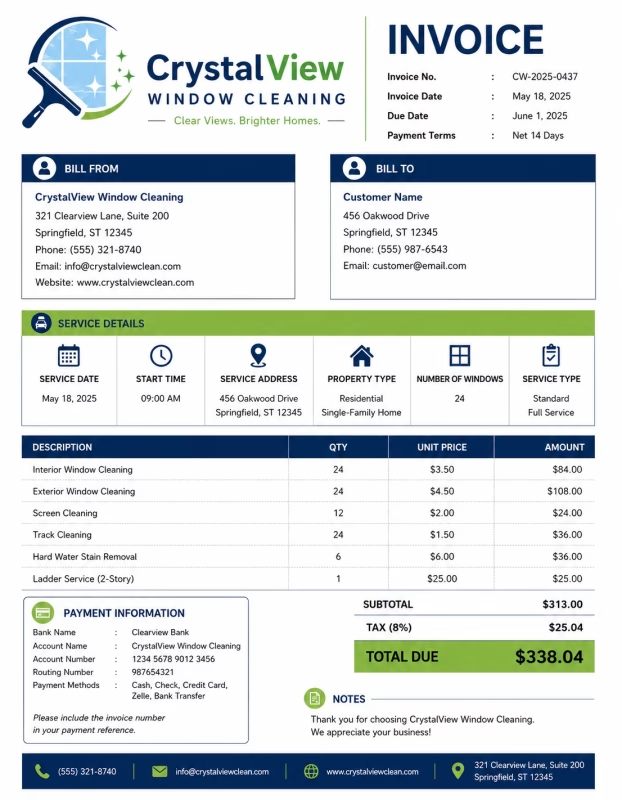
Download Free Window Cleaning Invoice Templates
Download a template, then edit it in PDF, Word, Excel, Google Docs, or Google Sheets. Print it, save it, or send it to your customer when the window cleaning service is complete.
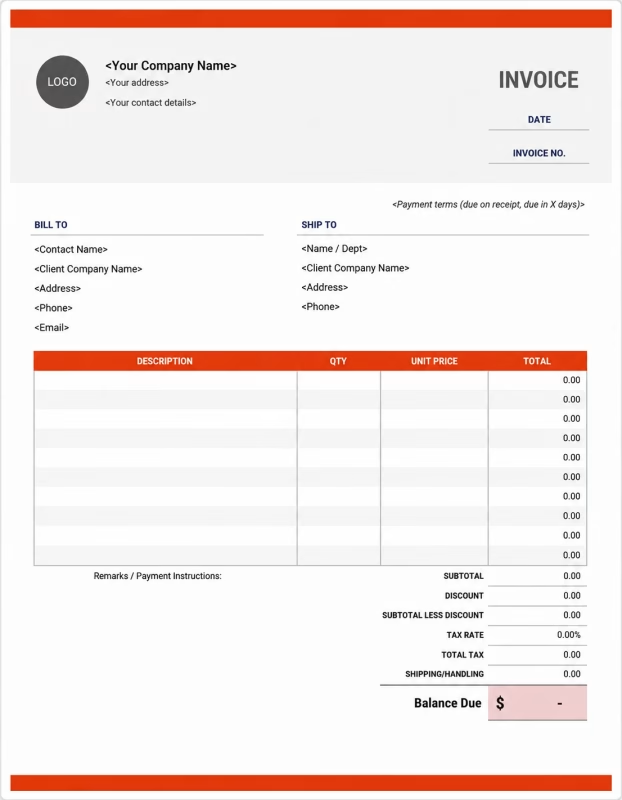


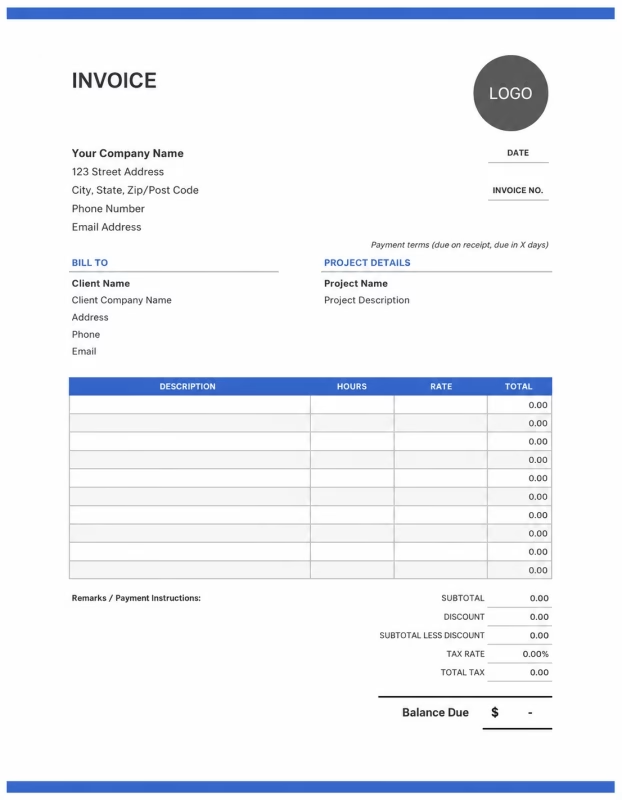
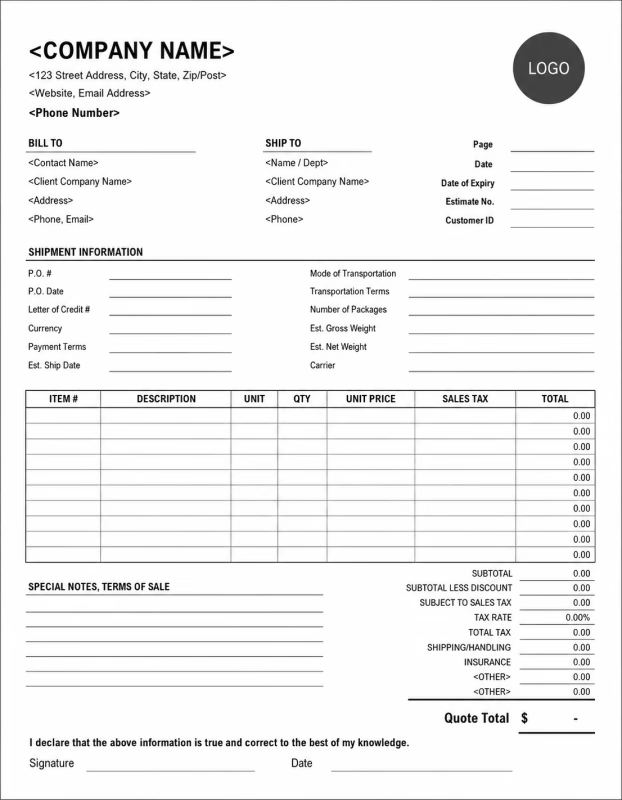
Use these templates for residential window cleaners, commercial window cleaning companies, storefront cleaning services, office window washers, apartment window cleaners, and exterior cleaning contractors.
View our complete selection of invoice templates for a variety of businesses and industries.
How to Invoice for Window Cleaning Work
A good window cleaning invoice should clearly show the customer details, service address, window count, cleaning type, labor charges, equipment fees, extra services, taxes, and payment terms.
In 5 Steps:
- Confirm the customer details, service address, window count, cleaning areas, access needs, service type, and agreed pricing before starting the job.
- Record completed window cleaning work, interior windows, exterior windows, screens, tracks, frames, sills, glass doors, and any approved extra services.
- Track service costs such as cleaning solution, towels, squeegees, poles, ladders, lift equipment, water-fed pole systems, travel, parking, and safety setup.
- Calculate window cleaning charges, labor, equipment fees, screen cleaning, track cleaning, travel fees, taxes, discounts, deposits, and the final balance due.
- Send the invoice with payment options, due date, service notes, cleaned areas, and any next cleaning or maintenance recommendations.
With Invoize, you can create window cleaning invoices faster, save customer details, reuse common cleaning services, add window counts and extra fees, and track payments from your phone.
What to Include in a Window Cleaning Invoice
A professional window cleaning invoice should include the details needed to identify the customer, property, window cleaning work, charges, and payment terms.
Invoice and Property Details
-
✓
Invoice number Helps track the invoice, payment record, and window cleaning service history.
-
✓
Customer name and contact details Shows who requested the window cleaning service and who is responsible for payment.
-
✓
Business name and contact details Shows which window cleaning company, cleaner, or service provider completed the work.
-
✓
Service address or job location Shows where the window cleaning work was completed.
-
✓
Service date or billing period Shows when the cleaning was completed or which service period the invoice covers.
Window Cleaning Details
-
✓
Property type Shows whether the work was for a home, office, storefront, apartment, restaurant, school, or commercial building.
-
✓
Service type Shows whether the service was interior cleaning, exterior cleaning, full window cleaning, storefront cleaning, or recurring service.
-
✓
Window count or glass area Helps explain pricing based on the number of windows, panes, doors, or glass surfaces cleaned.
-
✓
Areas cleaned Shows which windows, glass doors, frames, sills, screens, tracks, or storefront panels were cleaned.
-
✓
Service description Explains washing, wiping, scraping, screen cleaning, track cleaning, or exterior glass cleaning.
Payment and Final Notes
-
✓
Labor or fixed service fee Shows whether the job was billed by labor hours, hourly rate, window count, package, or flat-rate pricing.
-
✓
Materials and extra fees Lists cleaning solution, towels, squeegees, poles, ladders, lift equipment, travel, parking, or high-access fees.
-
✓
Discounts, deposits, or previous payments Shows credits or amounts already paid before the final balance.
-
✓
Total amount due Shows the final amount the customer needs to pay.
-
✓
Payment terms and service notes Records the due date, payment methods, access notes, glass condition, hard water notes, recurring schedule, or next cleaning recommendations.
Billing Scenarios for Window Cleaning Businesses
Use clear invoice labels so customers understand the type of window cleaning service, window count, labor cost, equipment fees, and final amount due.
| Scenario | Invoice line items | Best used for | How to describe it |
|---|---|---|---|
| Residential window cleaning | Interior windows, exterior windows, screen cleaning, sill cleaning, service fee | Homes, apartments, townhouses, rental properties, and regular household window cleaning. | Show the service address, window count, cleaned areas, and flat or per-window price clearly. |
| Commercial window cleaning | Office windows, exterior glass, equipment use, labor, recurring service fee | Offices, clinics, schools, restaurants, retail spaces, and commercial buildings. | List the business location, cleaning date, glass areas cleaned, and any access or equipment fees. |
| Storefront window cleaning | Storefront glass, door glass, frame cleaning, spot cleaning, recurring visit | Retail shops, salons, cafés, restaurants, showrooms, and street-facing businesses. | Show the storefront panels, door glass, service frequency, and recurring cleaning charge. |
| Interior and exterior full service | Interior cleaning, exterior cleaning, screens, tracks, frames, sills | Customers who want complete window cleaning inside and outside the property. | Separate interior, exterior, screen, and track cleaning so the customer can see the full service breakdown. |
| High-access window cleaning | Ladder work, water-fed pole cleaning, lift equipment, safety setup, labor | Upper-floor windows, tall homes, commercial buildings, hard-to-reach glass, and multi-story properties. | Show the access method, equipment used, safety setup, and extra high-access charges. |
| Hard water or stain removal | Hard water treatment, glass polishing, scraping, extra labor, cleaning solution | Windows with mineral stains, water spots, paint marks, construction dust, or heavy buildup. | Describe the stain type, treatment used, extra labor, and any limits on stain removal. |
☝️ Create your first invoice in seconds.
Common Charges and Fees for Window Cleaning Businesses
Itemize window cleaning charges clearly so customers can see labor, window count, screen cleaning, equipment, travel, taxes, and any extra costs.
| Charge or service | Unit | When to use | How to show it |
|---|---|---|---|
| Window cleaning labor | Hour | Use when billing by time for washing, wiping, scraping, drying, screen cleaning, or cleanup. | Show labor hours multiplied by the hourly rate with a short service description. |
| Per-window cleaning fee | Window or pane | Use when pricing is based on the number of windows or glass panes cleaned. | Show window count, rate per window, and total amount clearly. |
| Flat cleaning package | Service or property | Use when the window cleaning job has one agreed service price. | List the package name, included services, and fixed amount clearly. |
| Interior window cleaning | Window, pane, or service | Use when cleaning windows from inside the property. | Show interior window cleaning separately when it is priced apart from exterior service. |
| Exterior window cleaning | Window, pane, or service | Use when cleaning outside glass, exterior frames, or outdoor-facing windows. | Show exterior window cleaning separately when it is priced apart from interior service. |
| Screen cleaning | Screen or service | Use when removing, washing, wiping, or reinstalling window screens. | Show screen count and screen cleaning charge when billed separately. |
| Track, frame, or sill cleaning | Window, area, or service | Use when cleaning dirt, dust, bugs, or buildup from window tracks, frames, or sills. | List track, frame, or sill cleaning separately when it is not included in the main service. |
| Hard water or stain removal | Window, area, or treatment | Use when removing mineral spots, paint marks, sticker residue, or heavy glass stains. | Show the treatment type, affected windows, and extra cleaning charge clearly. |
| High-access or equipment fee | Service, hour, or fee | Use when ladders, poles, lifts, safety equipment, or special access tools are needed. | Show equipment or high-access work separately when it adds to the service cost. |
| Travel or service call fee | Mile, kilometer, or fee | Use when travel distance, parking, fuel, or location access adds cost to the job. | Show travel or service call fees separately from the window cleaning charge. |
| Tax | Percentage or amount | Use when tax applies to window cleaning services, supplies, equipment, or extra fees based on local rules. | Show tax before the final total so the customer can see how the balance was calculated. |
| Deposit or previous payment | Credit | Use when the customer paid before or during the window cleaning service. | Subtract it from the invoice total and show the remaining balance due. |
Create a free account and save window cleaning rates, service packages, screen cleaning fees, customer details, and common window cleaning invoice items once, so nothing gets retyped.
Common Window Cleaning Invoicing Mistakes
Window cleaning work can include window counts, interior and exterior cleaning, screens, tracks, high-access equipment, stains, deposits, and service notes. Missing details can confuse customers or delay payment. Avoid these common mistakes.
| Mistake | Why it causes problems | How to fix it |
|---|---|---|
| Not listing the service address | The invoice may be hard to match with the correct home, office, storefront, or cleaning job. | Add the service address or job location to every window cleaning invoice. |
| Not showing the window count | The customer may not understand how the price was calculated. | Add the number of windows, panes, screens, or glass panels cleaned when useful. |
| Not describing the cleaning service clearly | The customer may not know whether the invoice covers interior cleaning, exterior cleaning, screens, tracks, or full service. | Add a clear description of each window cleaning task completed. |
| Combining all charges in one line | The total may look unclear because the customer cannot see labor, window count, screens, equipment, and taxes separately. | Separate labor, window cleaning, screen cleaning, track cleaning, equipment, travel, deposits, and taxes into clear line items. |
| Forgetting screen or track cleaning fees | Extra work may look unexpected if screens, frames, sills, or tracks are not listed clearly. | Show screen cleaning, track cleaning, frame cleaning, or sill cleaning as separate line items when charged. |
| Leaving out high-access equipment charges | Ladders, water-fed poles, lifts, or safety setup may be questioned if not explained. | Add high-access work, equipment use, ladder work, or lift fees as separate line items. |
| Not recording stain or hard water treatment | Mineral spots, paint marks, or heavy buildup may require extra work that the customer may question later. | Show hard water treatment, stain removal, scraping, or glass polishing as separate line items when billed. |
| Forgetting deposits or previous payments | The final balance may look higher than expected. | Show deposits, advance payments, partial payments, or credits before the balance due. |
| Leaving out recurring cleaning details | The customer may not know whether the invoice covers one visit, a weekly plan, monthly service, or a contract period. | Add the billing period, service frequency, included visits, and recurring cleaning terms. |
| Not keeping invoice records | Tracking cleaning visits, payments, window counts, customer preferences, and recurring service history becomes harder. | Keep a copy of every window cleaning invoice for your business records. |
More Invoice Templates You May Like
Choose the invoice format that best fits your client's needs.
Professional invoice templates for appliance repair services, maintenance work, diagnostics, and household equipment servicing billing workflows.
Professional invoice templates for bartenders, event services, private parties, and hospitality staffing billing.
Professional invoice templates for bridal makeup artists, wedding beauty services, and client event billing workflows.
Window Cleaning Invoice FAQs
Line items for interior window cleaning, exterior window cleaning, glass panels, screens, tracks, frames, hard water stain removal, high windows, travel, deposits, and final payment. Built for window cleaners, residential cleaning teams, commercial window cleaning companies, and mobile cleaning professionals using the Window Cleaning Invoice Template.
How should I show window cleaning charges on an invoice?
List the service by window count, property area, or fixed service price. Example: “Exterior window cleaning: 20 windows × $8 = $160” or “Full home window cleaning package: $250.” This helps the customer understand how the cleaning total was calculated.
What window details should be included on the invoice?
Include the property address, service date, number of windows cleaned, window type, and whether the service was interior, exterior, or both. Example: “Interior and exterior cleaning for 18 residential windows at 245 Main Street.” This connects the invoice to the exact cleaning job.
How do I invoice for interior and exterior window cleaning?
Show interior and exterior cleaning as separate line items if they are priced differently. Example: “Interior window cleaning: 15 windows × $6 = $90” and “Exterior window cleaning: 15 windows × $8 = $120.” This keeps each part of the service clear.
Should screens, tracks, and frames be listed separately?
Yes, if they are not included in the standard window cleaning price. Example: “Screen cleaning: 12 screens × $3 = $36” or “Window track cleaning: $45.” This helps explain extra work beyond basic glass cleaning.
Can I charge extra for high or hard-to-reach windows?
Yes. High windows, skylights, ladder work, or difficult access should be shown as separate charges. Example: “Second-story window access fee: $40” or “Skylight cleaning: 4 units × $12 = $48.” This explains why some windows cost more to clean.
How should I bill for hard water stain or paint removal?
List stain removal or special cleaning separately because it usually needs extra time and products. Example: “Hard water stain removal: 6 windows × $10 = $60” or “Paint spot removal from glass: $35.” This keeps special treatment charges clear.
How do I show recurring window cleaning service?
Show the billing period, visit count, and rate per visit. Example: “Monthly window cleaning plan: 1 scheduled visit: $180” or “Quarterly commercial window cleaning: $350 per visit.” This makes ongoing service billing easy to review.
What payment terms should a window cleaning invoice include?
Include the due date, accepted payment methods, cancellation policy, recurring service terms, and extra work rules. Example: “Payment due within 7 days. Extra charges may apply for hard water stains, paint removal, high windows, heavy buildup, or added windows requested during the visit.”
Used by Businesses Around the World
From freelancers to growing companies, Invoize helps businesses create professional invoices, manage billing, and get paid faster.







Create and Send Professional Invoices in Seconds
Invoize helps freelancers and businesses create, manage, and send invoices easily
from anywhere without complicated accounting software.
- Smart Invoice Management
- Expense & Payment Tracking
- Secure Local Data Storage






★★★★★
Trusted by 1400+ Business Owners