
Auto Repair & Mechanic Invoice Template
Free invoice templates for auto repair shops, mobile mechanics, garages, service centers, and vehicle maintenance businesses. Use them for labor, parts, diagnostics, repairs, inspections, tune-ups, oil changes, tire services, and customer billing.
Use this template to bill customers for repair work, mechanic labor, replacement parts, shop fees, taxes, discounts, deposits, and payment terms in a clean and professional way.
Download the App
Create, send and manage invoices on the go.


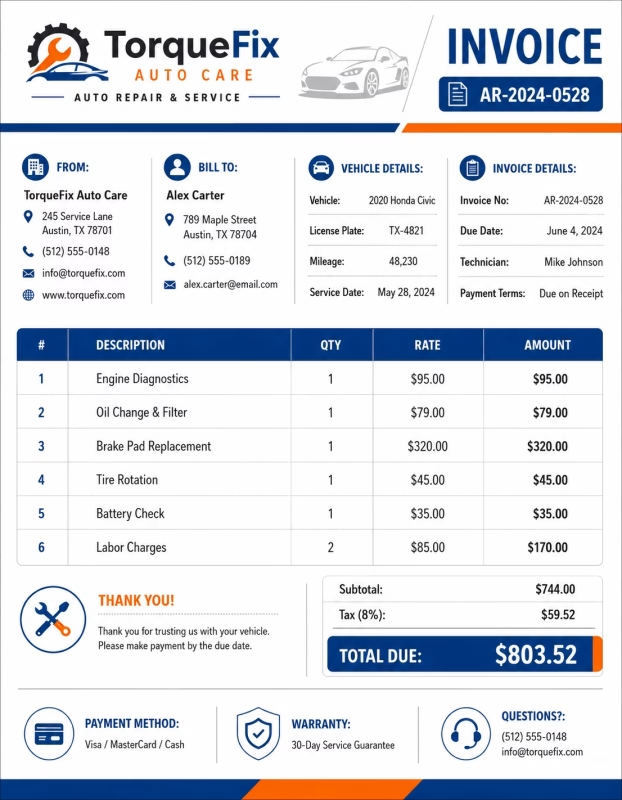
Download Free Auto Repair & Mechanic Invoice Templates
Download a template, then edit it in PDF, Word, Excel, Google Docs, or Google Sheets. Print it or send it to your customer when the invoice is ready.
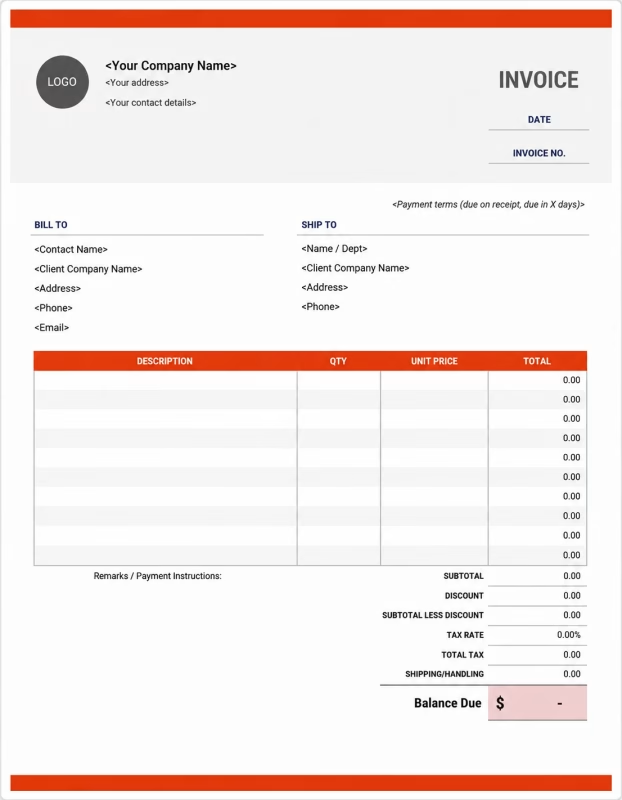


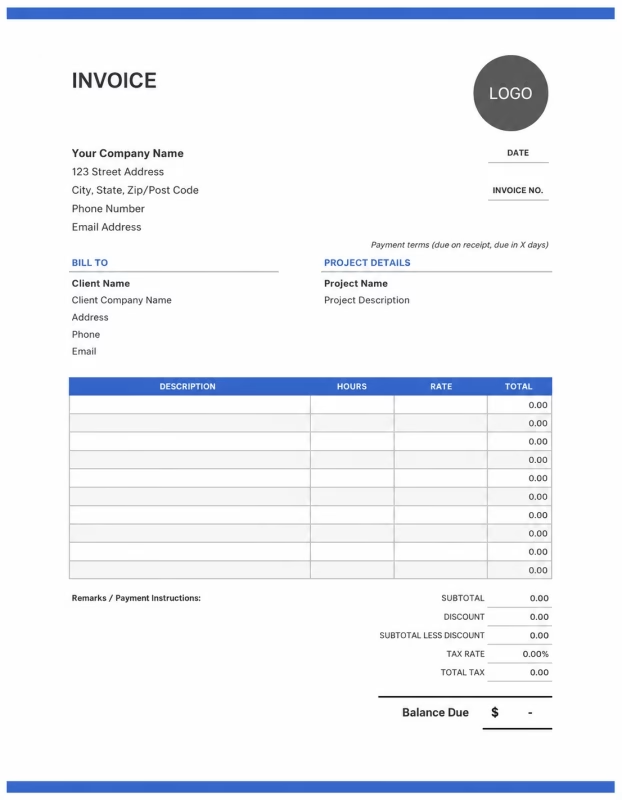
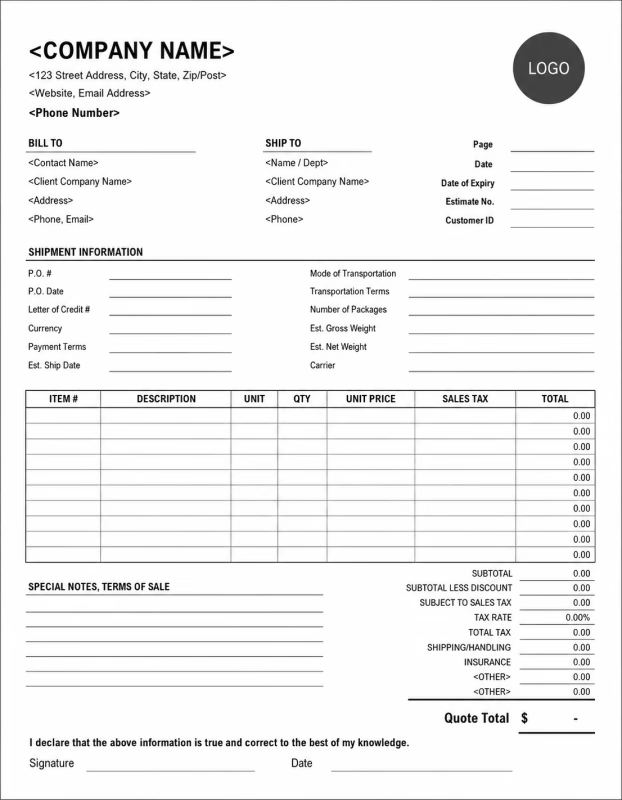
Use these templates for vehicle repairs, mechanic labor, replacement parts, inspection fees, diagnostics, maintenance work, emergency repairs, taxes, and customer payment records.
View our complete selection of invoice templates for different services, trades, and small businesses.
How to Invoice for Auto Repair & Mechanic Work
A clear auto repair invoice helps the customer understand the service performed, the parts used, the labor charged, and the final amount due.
In 5 Steps:
- Confirm the customer details, vehicle information, repair request, labor rate, parts needed, and estimated cost.
- Record the service completed, parts installed, diagnostic work, inspection notes, and any extra approved repairs.
- Track mechanic labor hours, part quantities, shop supplies, towing fees, and any discounts or deposits.
- Calculate labor, parts, fees, taxes, previous payments, and the final balance due.
- Send the invoice with payment options, due date, service notes, warranty details, and customer instructions.
With Invoize, you can create auto repair invoices faster, save customer details, reuse service items, and track payments from your phone.
What to Include in an Auto Repair & Mechanic Invoice
A professional auto repair invoice should include all details needed to identify the customer, vehicle, repair work, parts, charges, and payment terms.
Repair Services
-
✓
General repair labor Shows approved repair work such as replacement, adjustment, installation, or mechanical service.
-
✓
Labor hours and rate Shows labor hours multiplied by the hourly rate with a short service description.
-
✓
Diagnostic service Use for warning lights, drivability problems, electrical issues, or inspection work.
-
✓
Diagnostic notes List the diagnostic service separately and add a short note about the issue checked.
-
✓
Mobile mechanic service fee Show travel or on-site service charges separately from repair labor.
Parts and Supplies
-
✓
Replacement parts Use when installing brake pads, filters, batteries, belts, hoses, sensors, tires, or other parts.
-
✓
Part details Show the part name, quantity, unit price, and part number when needed.
-
✓
Shop supplies Use for cleaners, lubricants, rags, clips, minor hardware, or small materials.
-
✓
Oil and fluids List oil, coolant, brake fluid, transmission fluid, or other fluids used during the job.
-
✓
Fluid quantity Show the fluid type, quantity, and related service so the charge is clear.
Fees and Payment Adjustments
-
✓
Tire disposal Show the number of tires and the disposal charge per tire or as one clear fee.
-
✓
After-hours charge Add emergency or after-hours service as a separate line when work happens outside normal hours.
-
✓
Tax Show tax before the final total so the customer can see how the balance was calculated.
-
✓
Deposit or partial payment Subtract paid amounts from the invoice total and show the remaining balance due.
-
✓
Final balance Make the amount due easy to understand after fees, tax, deposits, and credits are applied.
Billing Scenarios for Auto Repair & Mechanic Businesses
Use clear labels so customers can understand what they are paying for without confusion.
| Scenario | Invoice Line Items | Best Used For | How to Describe It |
|---|---|---|---|
| Diagnostic service | Diagnostic labor, scan report, inspection fee | Check engine light, electrical issues, unusual noises, or performance problems. | Explain that the charge covers testing, scanning, and identifying the issue before repair work begins. |
| Brake repair | Brake pads, rotors, brake labor, brake fluid | Front brake repair, rear brake repair, rotor replacement, or brake inspection. | Separate parts from labor so the customer can see the full brake service cost. |
| Labor-only repair | Installation labor, customer-supplied part note | Jobs where the customer provides the replacement part. | Make it clear that your shop is billing only for labor and not for the part itself. |
| Mobile mechanic service | Travel fee, service call fee, on-site labor, parts | Roadside repair, home service, office parking lot repair, or emergency repair. | Show travel and service call charges separately from repair labor. |
| Battery replacement | Battery, installation labor, terminal cleaning, core charge | Battery testing, replacement, and installation. | List the battery cost and any core charge clearly. |
| After-hours repair | Emergency labor, after-hours fee, parts, service call | Evening, weekend, or urgent repair work. | Explain that the extra charge applies because the repair was done outside normal hours. |
☝️ Create your first invoice in seconds.
Common Charges and Shop Fees for Auto Repair Shops
Itemize auto repair charges clearly so customers can see labor, parts, supplies, taxes, and special fees.
| Charge or Service | Unit | When to Use | How to Show It |
|---|---|---|---|
| General repair labor | Time | Use for approved repair work such as replacement, adjustment, installation, or mechanical service. | Show labor hours multiplied by the hourly rate with a short service description. |
| Diagnostic service | Service or time | Use for warning lights, drivability problems, electrical issues, or inspection work. | List the diagnostic service separately and add a short note about the issue checked. |
| Replacement parts | Item | Use when installing brake pads, filters, batteries, belts, hoses, sensors, tires, or other parts. | Show part name, quantity, unit price, and part number if needed. |
| Shop supplies | Fee | Use for cleaners, lubricants, rags, clips, minor hardware, or small materials. | Add it as a separate line so it is not hidden inside labor or parts. |
| Tire disposal | Item or fee | Use when old tires are removed and disposed of after replacement. | Show the number of tires and the disposal charge per tire or as one fee. |
| Oil and fluids | Item | Use for oil changes, coolant, brake fluid, transmission fluid, or top-offs. | List the fluid type, quantity, and related service. |
| Mobile mechanic service fee | Service | Use when traveling to a customer’s home, workplace, roadside location, or parking area. | Show it separately from repair labor so the travel charge is clear. |
| After-hours charge | Fee | Use when the customer requests service outside normal business hours. | Add it as a separate line with a short emergency or after-hours note. |
| Tax | Percentage or amount | Use when tax applies to parts, services, or fees based on local rules. | Show tax before the final total so the customer can see how the balance was calculated. |
| Deposit or partial payment | Credit | Use when the customer paid before or during the repair. | Subtract it from the invoice total and show the remaining balance due. |
Create a free account and save hourly rates, project fees, and expense items once, so nothing gets retyped.
Common Auto Repair & Mechanic Invoicing Mistakes
Auto repair work often includes labor, parts, diagnostics, vehicle details, shop fees, and service notes. Missing details can confuse customers or delay payment. Avoid these common mistakes.
| Mistake | Why it causes problems | How to fix it |
|---|---|---|
| Missing project details | The client may not know which job, site, or billing period the invoice refers to. | Add project name, site address, billing period, and a clear description of the work completed. |
| Combining labor and materials in one line | Clients may not understand how the total was calculated. | Separate labor hours, labor rate, materials, quantities, and prices. |
| Not listing material quantities | Material charges may look unclear or incomplete. | Show lumber, concrete, drywall, fixtures, hardware, quantities, and unit prices when possible. |
| Forgetting change orders | Extra work may be questioned if it was not documented. | Record approved changes, added labor, extra materials, and revised totals. |
| Not showing deposits or progress payments | The final balance may look higher than expected. | Show deposits, milestone payments, and partial payments as credits before the balance due. |
| Leaving out equipment or subcontractor costs | Important project costs may appear hidden or unexplained. | List equipment rentals and subcontractor charges separately with short descriptions. |
| Not adding payment terms | The client may not know when or how to pay. | Add due date, accepted payment methods, and any late payment terms you use. |
| Not saving invoice records | Tracking payments, project history, and client records becomes harder. | Keep copies of every construction invoice for your business records. |
More Invoice Templates You May Like
Choose the invoice format that best fits your client's needs.
Professional invoice templates for carpenters, custom woodwork, repair services, and construction project billing.
Professional invoice templates for construction services, building projects, contractor work, and client billing workflows.
Professional invoice templates for contractors, construction jobs, repair projects, and client service billing.
Auto Repair Invoice FAQs
Get clear answers about using an auto repair invoice template for labor, parts, diagnostics, shop supplies, deposits, taxes, and vehicle repair records.
How should I show labor charges on an auto repair invoice?
Break labor into clear service lines instead of writing one total amount. Example: “Brake pad replacement labor: Front axle: 1.5 hours × $85/hr = $127.50.” This helps the customer understand what work was done and how the labor cost was calculated.
What parts details should be included on a mechanic invoice?
List the part name, quantity, part number if available, unit price, and whether it is OEM, aftermarket, or customer-supplied. Example: “Oil filter: Part #PH7317: Qty 1: $12” and “Front brake pads: Aftermarket ceramic set: Qty 1: $68.”
Should diagnostic fees be listed separately from repair work?
Yes. Keep the diagnostic fee as its own line item, especially if it was charged before the customer approved the repair. Example: “Engine diagnostic scan: Check engine light inspection: $75.” If the fee is waived after repair, show it as a discount or $0 line.
How do I invoice for oil changes, fluids, and filters?
List each service and material clearly so the customer can see what was used. Example: “Full synthetic oil change: 5 quarts: $45,” “Oil filter: $12,” and “Labor: Oil and filter service: $25.” This works better than one unclear “oil service” total.
Can I add shop supplies or environmental disposal fees?
Yes, but label them clearly and keep the amount reasonable. Example: “Shop supplies: Cleaning materials, gloves, small hardware: $8” or “Waste oil disposal fee: $5.” This avoids confusion and explains small extra charges.
How should I bill towing, mobile mechanic visits, or roadside service?
Add a separate line for travel, towing, or call-out charges. Example: “Mobile service fee: Within 10 miles: $35” or “Towing fee: Vehicle pickup to repair shop: $95.” If mileage applies, show the distance or rate.
How do I show warranty repair or no-charge service on the invoice?
List the covered service and mark the cost as $0 or discounted. Example: “Warranty repair: Alternator replacement labor: $0” and “Replacement part under warranty: $0.” This creates a clear service record without charging the customer again.
What payment terms should an auto repair invoice include?
Include the due date, accepted payment methods, deposit amount, balance due, and any storage or late fee policy. Example: “Payment due at vehicle pickup. Deposit paid: $100. Balance due: $420. Vehicles left more than 3 days after completion may incur storage fees."
Used by Businesses Around the World
From freelancers to growing companies, Invoize helps businesses create professional invoices, manage billing, and get paid faster.







Create and Send Professional Invoices in Seconds
Invoize helps freelancers and businesses create, manage, and send invoices easily
from anywhere without complicated accounting software.
- Smart Invoice Management
- Expense & Payment Tracking
- Secure Local Data Storage






★★★★★
Trusted by 1400+ Business Owners