
Tutoring Invoice Template
Free invoice templates for tutors, private tutors, online tutors, academic coaches, homework helpers, test prep tutors, subject tutors, and education service providers. Download and edit in PDF, Word, Excel, Google Docs, or Google Sheets.
Use this template to bill for tutoring sessions, online lessons, homework support, test preparation, study materials, travel fees, cancellation charges, taxes, discounts, deposits, and payment terms in a clear and professional way.
Download the App
Create, send and manage invoices on the go.


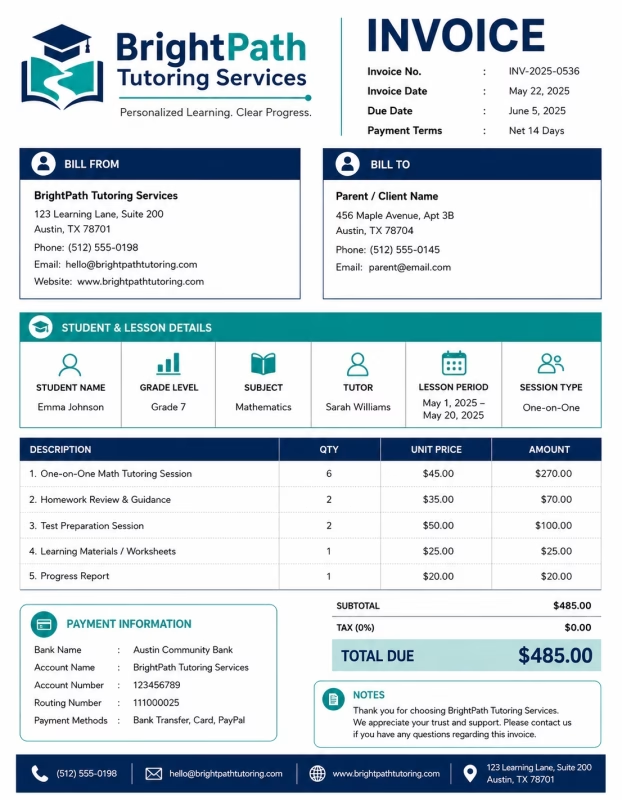
Download Free Tutoring Invoice Templates
Download a template, then edit it in PDF, Word, Excel, Google Docs, or Google Sheets. Print it, save it, or send it to the student, parent, school, or client when the tutoring session is complete or when a billing period ends.
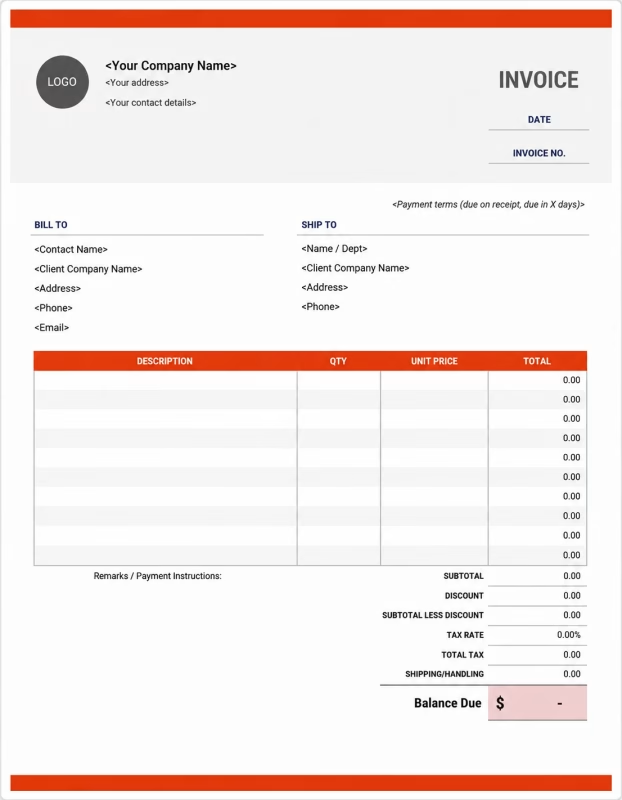


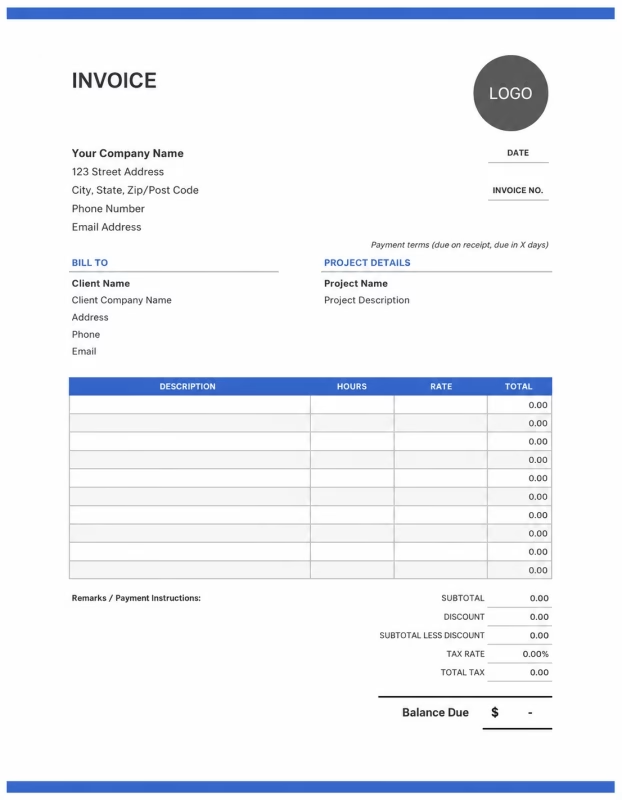
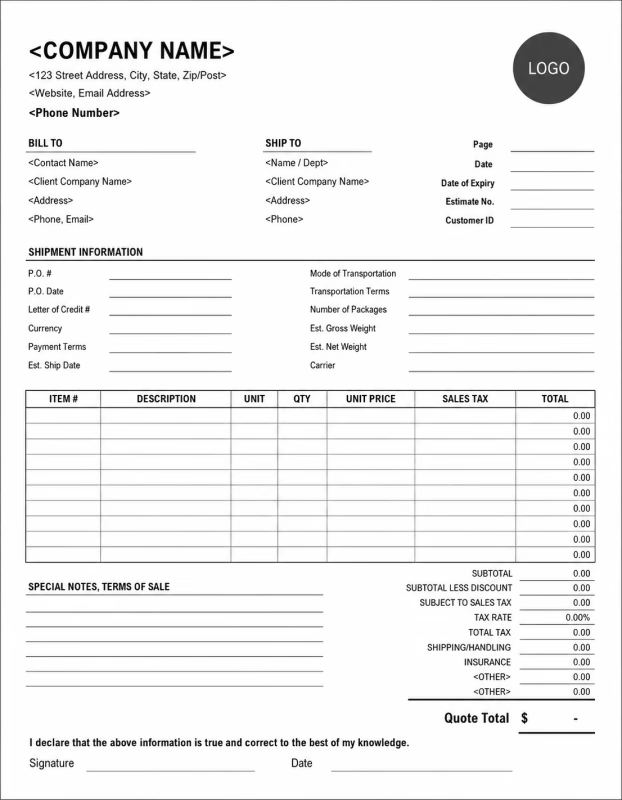
Use these templates for private tutors, online tutors, subject tutors, test prep tutors, homework support providers, academic coaches, language tutors, and education service businesses.
View our complete selection of invoice templates for a variety of businesses and industries.
How to Invoice for Tutoring Work
A good tutoring invoice should clearly show the student or parent details, subject taught, session dates, tutoring hours, session rate, materials, deposits, taxes, and payment terms.
In 5 Steps:
- Confirm the student, parent, school, or client details, subject, tutoring schedule, session length, hourly or session rate, materials needed, and agreed pricing before starting the tutoring.
- Record completed tutoring work, session dates, lesson hours, homework help, test preparation, study plans, online sessions, and any approved extra services.
- Track tutoring costs such as worksheets, books, study guides, practice tests, online tools, printing, travel, parking, and cancellation charges.
- Calculate tutoring fees, hourly charges, lesson packages, monthly tuition, materials, travel fees, discounts, deposits, taxes if applicable, and the final balance due.
- Send the invoice with payment options, due date, billing period, tutoring notes, next session details, and any remaining balance instructions.
With Invoize, you can create tutoring invoices faster, save student details, reuse tutoring rates, add materials and session charges, and track payments from your phone.
What to Include in a Tutoring Invoice
A professional tutoring invoice should include the details needed to identify the student, client, tutoring service, session period, charges, and payment terms.
Invoice and Student Details
-
✓
Invoice number Helps track the invoice, payment record, and tutoring billing history.
-
✓
Student, parent, or client details Shows who received the tutoring service and who is responsible for payment.
-
✓
Tutor or business details Shows which tutor, academic coach, or education provider completed the service.
-
✓
Subject or tutoring focus Connects the invoice to the correct subject, course, class, exam, or learning support service.
-
✓
Session dates or billing period Shows which tutoring sessions, week, month, term, or service period the invoice covers.
Tutoring Service Details
-
✓
Tutoring format Shows whether the service was in person, online, one-on-one, group-based, home-based, or school-based.
-
✓
Service description Explains homework help, subject tutoring, test preparation, academic coaching, or study support.
-
✓
Session length and number of sessions Shows how much tutoring time was provided and how the total charge was calculated.
-
✓
Rate or package fee Shows whether the tutoring service was billed by hourly rate, session rate, monthly tuition, or fixed package fee.
-
✓
Lesson package or study plan Connects the invoice to the correct tutoring bundle, monthly plan, exam plan, or recurring schedule.
Payment and Final Notes
-
✓
Materials and extra fees Lists worksheets, books, study guides, practice tests, digital files, travel, printing, platform, or assessment fees.
-
✓
Discounts, deposits, or scholarships Shows credits, scholarships, deposits, or previous payments before the final balance.
-
✓
Total amount due Shows the final amount the student, parent, school, or client needs to pay.
-
✓
Payment due date and methods Tells the client when payment is expected and how they can pay.
-
✓
Tutoring notes or payment terms Records session notes, cancellation rules, homework notes, next session date, or payment instructions.
Billing Scenarios for Tutors
Use clear invoice labels so students, parents, schools, or clients understand the type of tutoring service, session cost, material fees, package charges, and final amount due.
| Scenario | Invoice line items | Best used for | How to describe it |
|---|---|---|---|
| Private tutoring session | Tutoring fee, session date, subject, session length, study notes | One-on-one tutoring, homework help, subject support, academic coaching, or study guidance. | Show the student name, subject, session date, session length, and agreed tutoring rate clearly. |
| Online tutoring session | Online tutoring fee, digital materials, session time, platform notes | Virtual tutoring, remote homework help, online test prep, and video-based learning support. | Show the online session date, subject, session length, and any digital material or platform charges. |
| Monthly tutoring plan | Monthly tuition, session count, materials, previous payment, balance due | Students taking regular weekly tutoring or recurring academic support. | Show the billing month, number of sessions included, tuition amount, and remaining balance due. |
| Test preparation tutoring | Test prep session, practice test, review work, study materials, feedback notes | Exam preparation, entrance tests, school tests, language tests, placement exams, or academic evaluations. | Describe the test preparation work and list any practice materials, mock tests, or review fees separately. |
| Group tutoring session | Group tutoring fee, student count, session date, materials, class notes | Small study groups, group homework help, school support groups, or subject review sessions. | Show the group session topic, date, number of students if needed, and total group fee. |
| Homework or assignment support | Homework help, assignment review, study support, session time, feedback | Students needing help with homework, assignments, projects, revision, or study organization. | List the subject, support type, session time, and any review or feedback notes clearly. |
☝️ Create your first invoice in seconds.
Common Charges and Fees for Tutoring Services
Itemize tutoring charges clearly so students, parents, schools, or clients can see session fees, hourly rates, materials, travel, assessments, taxes, and any extra costs.
| Charge or service | Unit | When to use | How to show it |
|---|---|---|---|
| Hourly tutoring fee | Hour | Use when billing by time for tutoring, homework help, exam preparation, or academic coaching. | Show hours taught multiplied by the hourly rate with a short tutoring description. |
| Session fee | Session | Use when charging a fixed price for one tutoring session. | Show the session date, subject, session length, and session price. |
| Monthly tutoring plan | Month | Use for recurring tutoring plans, regular academic support, or weekly learning sessions. | Show the billing period, included sessions, and monthly tutoring amount. |
| Lesson package fee | Package | Use when the student or parent buys several tutoring sessions in advance. | List the package name, number of sessions included, and package price. |
| Group tutoring fee | Class, student, or session | Use when tutoring multiple students in one session or study group. | Show the group topic, session date, student count if needed, and group fee. |
| Test prep fee | Session or package | Use when providing exam preparation, practice tests, review lessons, or test strategy coaching. | Show the exam name, preparation service, session count, and fee clearly. |
| Learning materials | Item or package | Use when charging for worksheets, study guides, books, practice tests, notes, or digital resources. | List materials separately when they are not included in the tutoring fee. |
| Assessment or progress review fee | Assessment, report, or fee | Use when checking student progress, preparing feedback, reviewing tests, or creating study reports. | Show the assessment or progress review as a separate line item when charged. |
| Travel or home tutoring fee | Mile, kilometer, or fee | Use when the tutor travels to the student’s home, school, library, or another lesson location. | Show travel separately from the tutoring service fee. |
| Cancellation or missed session fee | Fee | Use when a student cancels late, misses a session, or does not follow the agreed cancellation policy. | Add a clear label so the student or parent understands why the fee applies. |
| Tax | Percentage or amount | Use when tax applies to tutoring services, materials, packages, or extra fees based on local rules. | Show tax before the final total so the client can see how the balance was calculated. |
| Deposit or previous payment | Credit | Use when the student, parent, school, or client paid before or during the tutoring service. | Subtract it from the invoice total and show the remaining balance due. |
Create a free account and save tutoring rates, session packages, student details, learning materials, and common tutoring invoice items once, so nothing gets retyped.
Common Tutoring Invoicing Mistakes
Tutoring work can include student details, subject names, session dates, tutoring hours, learning materials, test preparation, travel, deposits, and payment terms. Missing details can confuse students, parents, schools, or clients and delay payment. Avoid these common mistakes.
| Mistake | Why it causes problems | How to fix it |
|---|---|---|
| Not listing the student or client name | The invoice may be hard to match with the correct student, parent, class, tutoring plan, or client record. | Add the student, parent, school, or client name to every tutoring invoice. |
| Not showing the subject clearly | The client may not know which lesson, subject, course, or academic support the invoice covers. | Add the subject name, course title, test name, or tutoring focus clearly. |
| Combining all charges in one line | The total may look unclear because the client cannot see sessions, materials, travel, and credits separately. | Separate tutoring fees, session charges, materials, travel, assessments, deposits, and taxes into clear line items. |
| Not listing session dates or billing period | The student, parent, school, or client may not know which week, month, term, or sessions were billed. | Add session dates, service dates, billing period, or package period clearly. |
| Not showing session length or rate | The client may question the charge if tutoring time and price are not visible. | Show session length, hourly rate, per-session rate, monthly tuition, or package fee clearly. |
| Forgetting learning material fees | Worksheets, books, practice tests, or digital resources may look like unexpected charges if not listed. | List learning materials separately when they are billed outside the tutoring fee. |
| Leaving out test prep or assessment fees | Mock tests, progress reviews, study reports, or feedback may be questioned if they are not clearly labelled. | Add test preparation, assessment, progress report, or feedback fees as separate line items. |
| Not recording cancellations or missed sessions | Late cancellation charges may be questioned if they are not explained. | Add cancellation, no-show, or missed session fees as separate line items with short notes. |
| Forgetting deposits or previous payments | The final balance may look higher than expected. | Show deposits, advance payments, scholarships, discounts, partial payments, or credits before the balance due. |
| Not keeping invoice records | Tracking tutoring sessions, payments, students, subjects, materials, and billing history becomes harder. | Keep a copy of every tutoring invoice for your business records. |
More Invoice Templates You May Like
Choose the invoice format that best fits your client's needs.
Professional invoice templates for upholstery services, furniture repair, fabric restoration, and custom reupholstering billing workflows.
Professional invoice templates for veterinary services, animal treatment, pet healthcare, and clinic billing workflows.
Professional invoice templates for wedding cake services, custom bakery orders, event desserts, and client billing workflows.
Tutoring Invoice FAQs
Line items for tutoring sessions, subject support, online lessons, homework help, exam preparation, learning materials, travel, deposits, and final payment. Built for private tutors, online tutors, academic coaches, subject teachers, and education service providers using the Tutoring Invoice Template.
How should I show tutoring session charges on an invoice?
List each tutoring session with the subject, date, duration, rate, and total amount. Example: “Math tutoring session: 1.5 hours × $40/hr = $60” or “English tutoring: 60 minutes: $35.” This helps the student or parent understand how the tutoring fee was calculated.
What student details should be included on a tutoring invoice?
Include the student’s name, parent or guardian name if needed, subject, grade level, lesson dates, billing period, and invoice number. Example: “Student: Emma Brown, subject: Grade 7 Math, billing period: June 1–June 15.” This connects the invoice to the correct learner and tutoring period.
How do I invoice for weekly or monthly tutoring?
Show the billing period, number of sessions, session length, and rate per session. Example: “Weekly tutoring plan: 4 sessions × $45 = $180” or “Monthly tutoring package: 8 lessons: $320.” This makes recurring tutoring payments easy to review.
Should homework help or assignment support be listed separately?
Yes, if it is charged outside the regular tutoring session. Example: “Homework support: 2 sessions × $30 = $60” or “Assignment review and feedback: $45.” This keeps extra academic support separate from normal lesson charges.
Can I include books, worksheets, or study materials?
Yes. List any paid learning materials separately from the tutoring fee. Example: “Printed worksheets: $10,” “Exam practice booklet: $18,” or “Digital study notes: $15.” This helps the parent or student see which resources were added.
How should I bill for online tutoring?
List the lesson as an online or virtual session with the subject, duration, and rate. Example: “Online science tutoring: 60 minutes via video call: $40.” If online tutoring is sold as a package, show the number of sessions and total package price.
How do I show deposits or prepaid tutoring packages?
Show the full tutoring package amount, payment already received, and remaining balance. Example: “Tutoring package total: $300,” “Advance payment received: $100,” and “Balance due: $200.” This helps both the tutor and student track prepaid sessions clearly.
What payment terms should a tutoring invoice include?
Include the due date, accepted payment methods, cancellation policy, rescheduling rules, and package expiry terms. Example: “Payment due before the first session. Lessons cancelled with less than 24 hours’ notice may still be charged. Prepaid tutoring sessions must be used within the agreed billing period.”
Used by Businesses Around the World
From freelancers to growing companies, Invoize helps businesses create professional invoices, manage billing, and get paid faster.







Create and Send Professional Invoices in Seconds
Invoize helps freelancers and businesses create, manage, and send invoices easily
from anywhere without complicated accounting software.
- Smart Invoice Management
- Expense & Payment Tracking
- Secure Local Data Storage






★★★★★
Trusted by 1400+ Business Owners